soidesmax®
START HERE

Installation & setup

Requirements, commands and the first steps for this template.

Version 1.0.0

Unzip, then open index.html in a browser to see the gallery of all 12 presets, or single.html for one large orb with a preset switcher. No build step, no dependencies, no CSS file - the whole library is one file, orbs.js.

Copy orbs.js into your project, add a container, load the script and mount an orb:

The orb fills the width of its container (it is a square canvas). The canvas includes a margin for the glow, so the visible sphere is about 72% of the container width - make the container larger if you need the sphere itself to be a given size. The background behind it should be dark for the glow to look right.

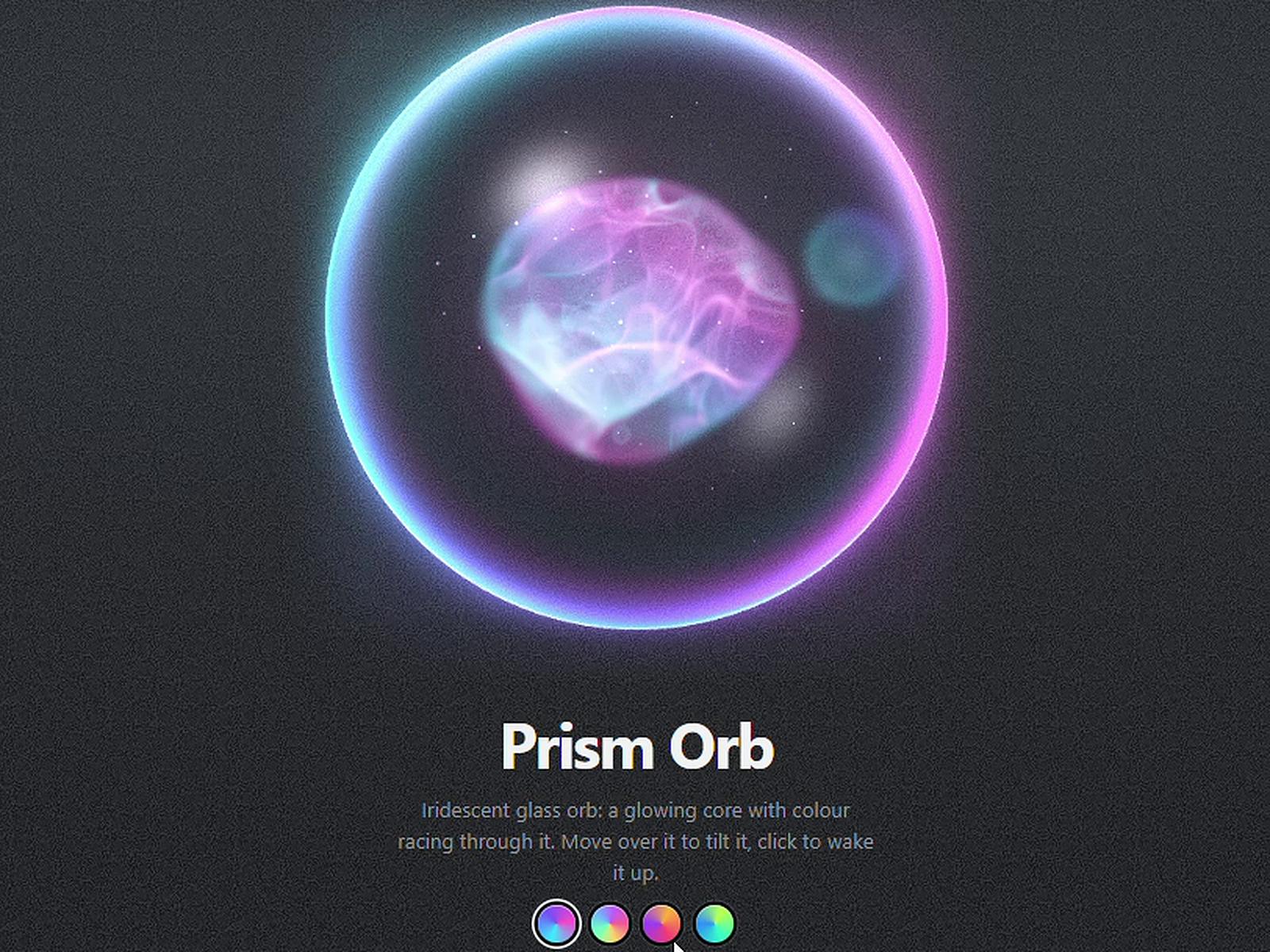
12 presets ship in the box: aurora, eclipse, bloom, orbit, fluid, frost, nocturne, solar, prism, vortex, zen and radiance. Start from a preset and override only what you want: colors (4 hex colours blended along the flowing gradient), rimColor, iri (iridescence 0-1), dark, trans (glass bubble), frost, rim, spec, glow, scale, warp, swirl, speed, ring (set to 1 for an orbiting ring), warm, interactive (tilt toward the cursor) and label (accessible name for the canvas).

Change anything live: const orb = Orbs.mount(target, options); orb.update({ preset: "solar" }); orb.pause(); orb.play(); orb.destroy(); If target is a canvas, that canvas is used; otherwise a canvas is added inside the element. Any number of orbs can live on one page - they share one WebGL context, so there are no context limits.

React / Next.js - mount in useEffect and destroy on unmount: "use client"; import { useEffect, useRef } from "react"; import Orbs from "./orbs.js"; export default function Orb({ preset = "aurora", ...opts }) { const ref = useRef(null); useEffect(() => { const orb = Orbs.mount(ref.current, { preset, ...opts }); return () => orb.destroy(); }, [preset]); return <div ref={ref} style={{ width: "100%" }} />; }

              Notes: needs WebGL (all current browsers). If WebGL is unavailable, mount() returns an inert object and nothing is drawn. Rendering pauses automatically when an orb is off-screen and respects reduce motion. Rendering cost scales with the on-screen size of the orbs - very large orbs on low-end phones may drop frames, so use orb.pause() for orbs you do not need animated. Each orb renders at up to 2x device pixel ratio.
USE IT IN YOUR PROJECTIncluded stack: HTML + JavaScript + WebGL

Follow the included README first. These steps apply to the technologies listed for this product.

  1. Open the included HTML page and identify the markup for the section you need.
  2. Link the supplied CSS and JavaScript files, preserving the demo’s loading order.
  3. Copy its images and other assets with the same relative paths; test interactions and mobile layout.
A CLOSER LOOK

About this product

Overview

Orbs WebGL Gallery is a small ambient orb gallery: one script (orbs.js) driving two demo pages - a multi-orb gallery page and a single-orb page. Made for landing-page heroes and backgrounds that need motion without a heavy scene.

What is inside

  • orbs.js
  • index.html (gallery) and single.html (single orb)
  • README.md and LICENSE.txt (License v2)

How to use

Open index.html for the gallery or single.html for one orb, then copy orbs.js and the page you want into your project.

Boundaries

Frontend visual only. No backend.

License & Support

License v2: buy once, use for unlimited end products - your own projects and projects you build for clients. No distribution, resale, source sharing, or use as a competing template/UI kit. Full v2 text is included as LICENSE.txt in the sold ZIP.

Included screens / pages

  • Orb gallery (index.html)
  • Single orb (single.html)

UI interactions

  • Multi-orb WebGL gallery
  • Single-orb WebGL page

What you get

  • orbs.js
  • index.html
  • single.html
  • README.md
  • LICENSE.txt (v2)

Integrations

Frontend visual only. Copy orbs.js and the demo page you want; no backend.

FAQ

What is the difference from Orb Collection?

This gallery is one lightweight script with two demo pages. Orb Collection is the fuller kit with two compiled orb builds and theme previews.

What does the license allow?

License v2: buy once, use for unlimited end products - your own projects and projects you build for clients. No distribution, resale, source sharing, or use as a competing template/UI kit. Full v2 text is included as LICENSE.txt in the sold ZIP.

Version 1.0.0 · Updated
BEFORE YOU GET STARTED

License & Support

One license. Unlimited projects.

One purchase covers unlimited end products for you and your clients. Customize the design and code, and use it in commercial projects.

You may not share, resell or redistribute the template or its source.

Updates
All v1.x updates included.
Support
Bugs and setup, within 2 business days.
Full license terms
**License** One purchase of this template covers **unlimited end products** — your own projects and projects you build for clients. You may use it in commercial client work, change the design and code, and ship it as part of your products, as many times as you like. The license belongs to the buyer (one person or one company). People working for the buyer on the buyer's projects may use it under the same license. You may not redistribute, resell, share, or sublicense the template itself or its source files, in whole or in part — whether standalone, bundled with other files, free, or paid. You may not use it to create a template, UI kit, or component library that competes with this product. **Updates:** all v1.x updates are free — re-download the latest files from your purchase email whenever a new version is released. **Support:** bug fixes and setup help within 2 business days, via [email protected]. The terms above are the terms in force at the time of your purchase and stay valid for that purchase, even if the license terms change later.
Read Template License v2