How Your Links Look When Shared (and How to Fix Them)
Every link you share becomes a card with a title, an image, and one line of text. Here is how that card is built, which free tools check it before you post, and how to fix it when it looks wrong.
Soidesmax Editorial · 14 min read · Updated 2026-11-29
You write a post, paste a link, and hit share. What your followers see is not your page. It is a card: one image, one headline, one or two lines of text, and a small domain name underneath. That card is the whole first impression, and it decides whether anyone clicks.
The card is built from a few lines of code in your page, called Open Graph tags. If those tags are right, the card looks like you planned it. If they are missing or wrong, the platform fills in the gaps itself, and the result is often a cropped logo, a headline cut in half, or a blank gray box.
The good news is that you can see the card before anyone else does. Free tools fetch your page the way a social crawler does and show you exactly what the card will look like. This post explains how the card is built, which tools check it, and how to fix it when it looks wrong.
What a link preview actually is
When you paste a link into a post, a chat message, or a comment, the platform does not open your page in a browser. A crawler fetches the page, reads the meta tags in the head section, and builds a small card from what it finds. The card usually has four parts: an image, a title, a short description, and the domain name.
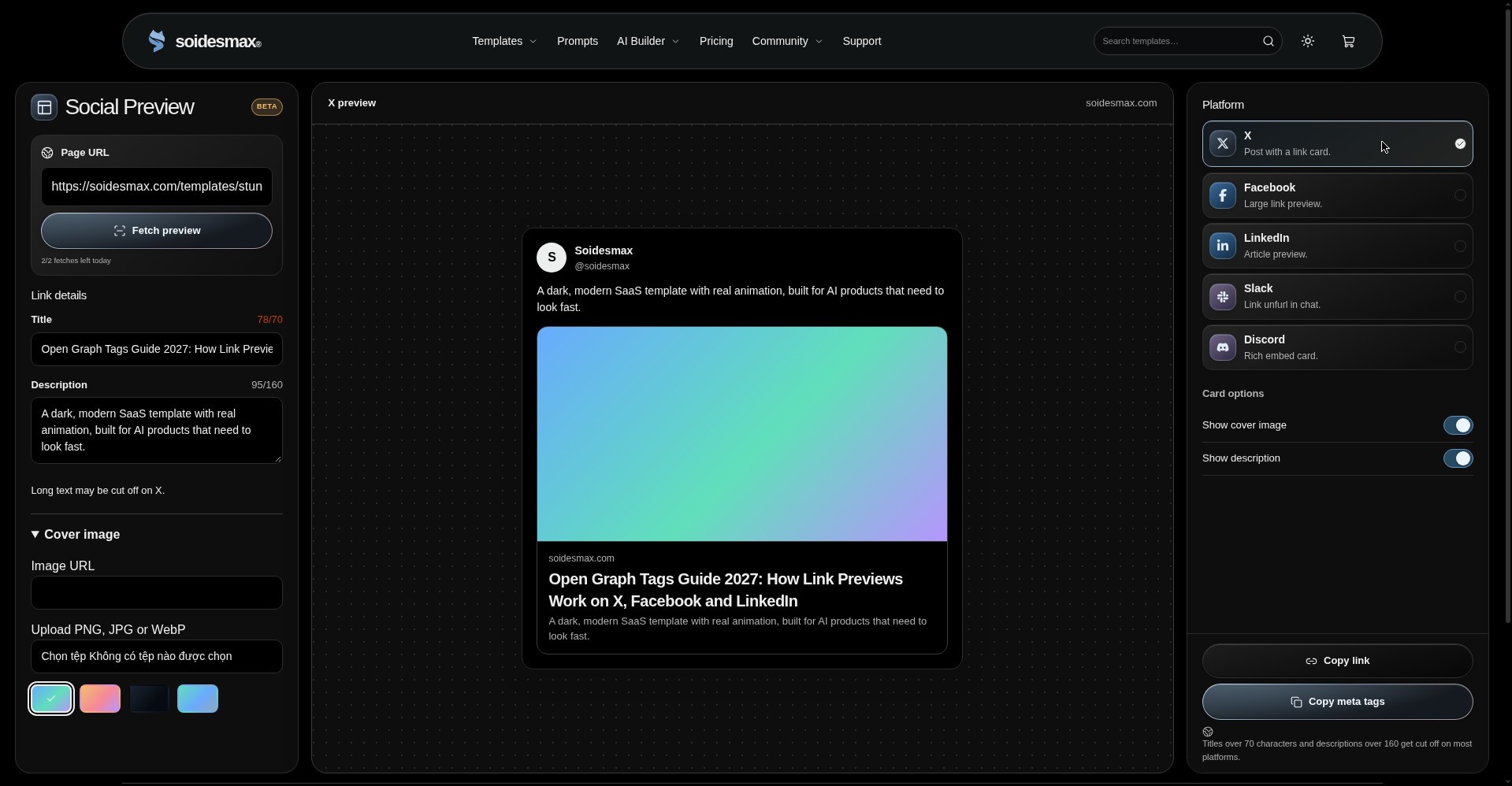
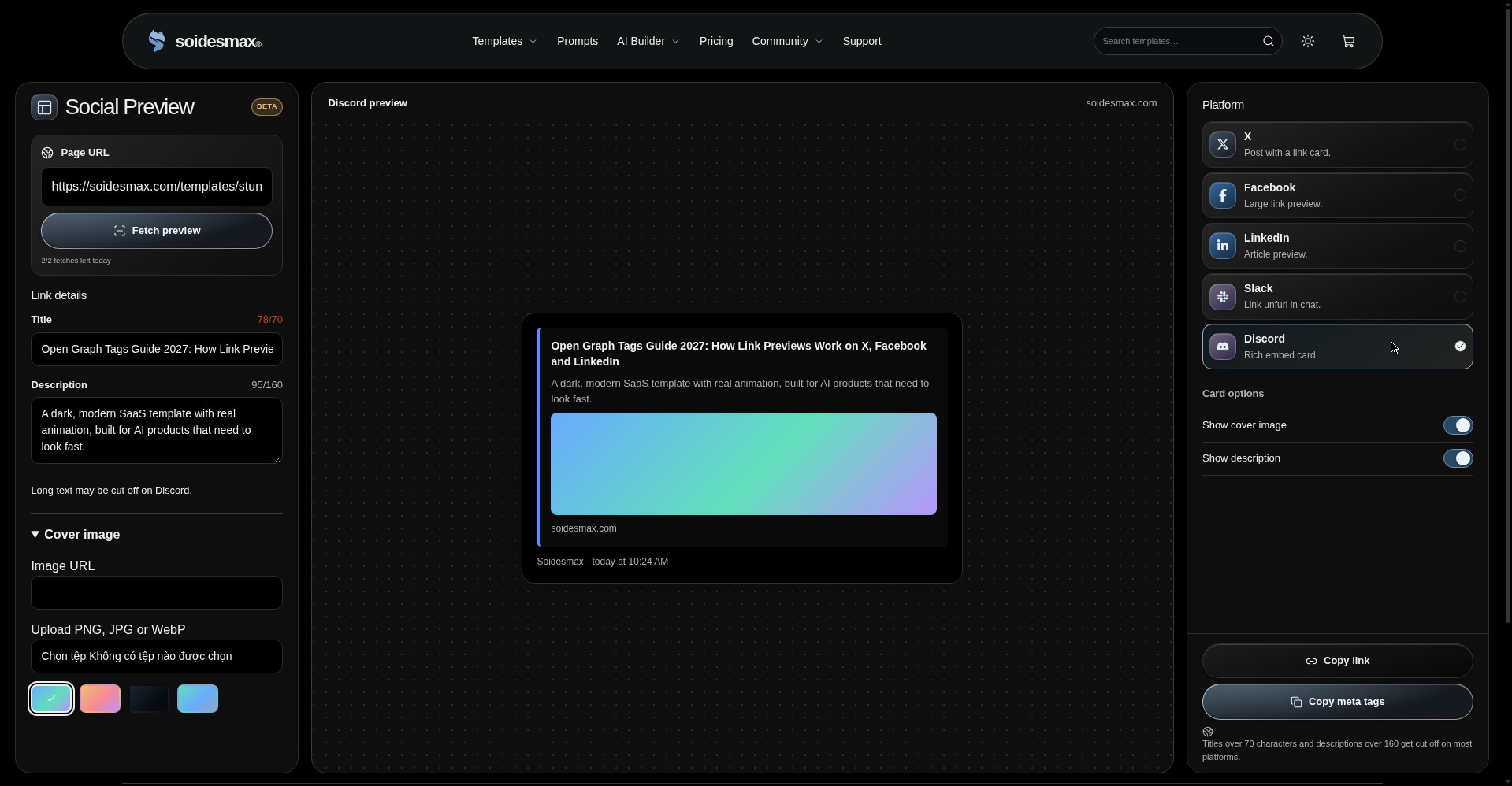
Every platform renders the same tags a little differently. X shows a wide image with the headline laid over the bottom of the picture. Facebook shows a large image with the title and description underneath. LinkedIn shows an article-style card. Slack unfurls the link inside the chat, and Discord shows a compact embed with a colored edge. The tags are the same, but the layout changes, which is why a card that looks fine on Facebook can look broken on X.
If the tags are missing, the platform has to guess. It may take the page title from the browser tab, the first image it finds, or the first paragraph of text. That guess is where most broken previews come from: a favicon used as the cover image, a navigation label used as the title, or a cookie banner used as the description.
Once a link is shared, most platforms keep a cached copy of the card, so fixing the tags after the fact does not always fix the post that is already live. Check first, post second.
The four tags that build the card
Four Open Graph tags do almost all of the work, plus one extra tag for X. If you edit a site directly, this is the block that belongs inside the head section of each page:
<meta property="og:title" content="How Your Links Look When Shared" />
<meta property="og:description" content="Every link you share becomes a card. Here is how that card is built and how to fix it." />
<meta property="og:image" content="https://soidesmax.com/og/link-preview.jpg" />
<meta property="og:url" content="https://soidesmax.com/blog/social-media-link-preview-2027" />
<meta property="og:type" content="website" />
<meta name="twitter:card" content="summary_large_image" />
<meta name="twitter:title" content="How Your Links Look When Shared" />
<meta name="twitter:description" content="Every link you share becomes a card. Here is how that card is built and how to fix it." />
Each tag has one job. og:title is the headline on the card. og:description is the line underneath it. og:image is the picture, and og:url is the canonical address of the page. og:type says what the page is, usually website or article. The twitter:card tag tells X to use the large image layout, and the twitter:title and twitter:description tags let you set different text for X if you want it.
Two practical limits matter more than the rest. Keep the title under 70 characters and the description under 160, because most platforms cut longer text off mid-sentence. For the image, use 1200 by 630 pixels, a 1.91 to 1 ratio, as a JPG or PNG. That size fills the large card on every major platform without cropping the wrong part. LinkedIn asks for at least 1200 by 627, so the same file covers it.
One more rule: the image URL must be absolute, starting with https://, and the image must be reachable by a crawler that is not logged in. A relative path, a localhost address, or an image behind a login will produce a card with no picture at all.
Why previews break
Most broken previews come from a short list of causes, and they are easy to tell apart once you know what to look for.
The first is missing tags. A page with no og:image gets a text-only card or no card at all. A page with no og:description gets a description pulled from the body text, which is often a menu label or a cookie notice. A page with no og:title gets the browser tab title, which may include a site name glued to the end.
The second is the image. The file may be too small, the wrong ratio, or too large for the platform to fetch. X documents its large card as a 2 to 1 ratio, at least 300 by 157 pixels, under 5 MB. An SVG will not work as a preview image. A relative image URL will not work either, because the crawler resolves it against nothing.
The third is the cache. Platforms store the card the first time they see a link. If you fix the tags and share the same URL again, you may still see the old card, because the platform is showing its stored copy. Facebook and LinkedIn both have tools to force a fresh fetch, which the next sections cover. X has no such button, and its crawler re-reads a page roughly every seven days, so a fixed tag can keep showing the old card for about a week.
The fourth is access. Some crawlers read the raw HTML and never run JavaScript, so tags injected by client-side scripts may never be seen. A firewall, a bot challenge, or a robots rule that blocks the crawler has the same effect: the platform cannot read the page, so it shows a bare link or nothing.
metatags.io: edit the card before it exists
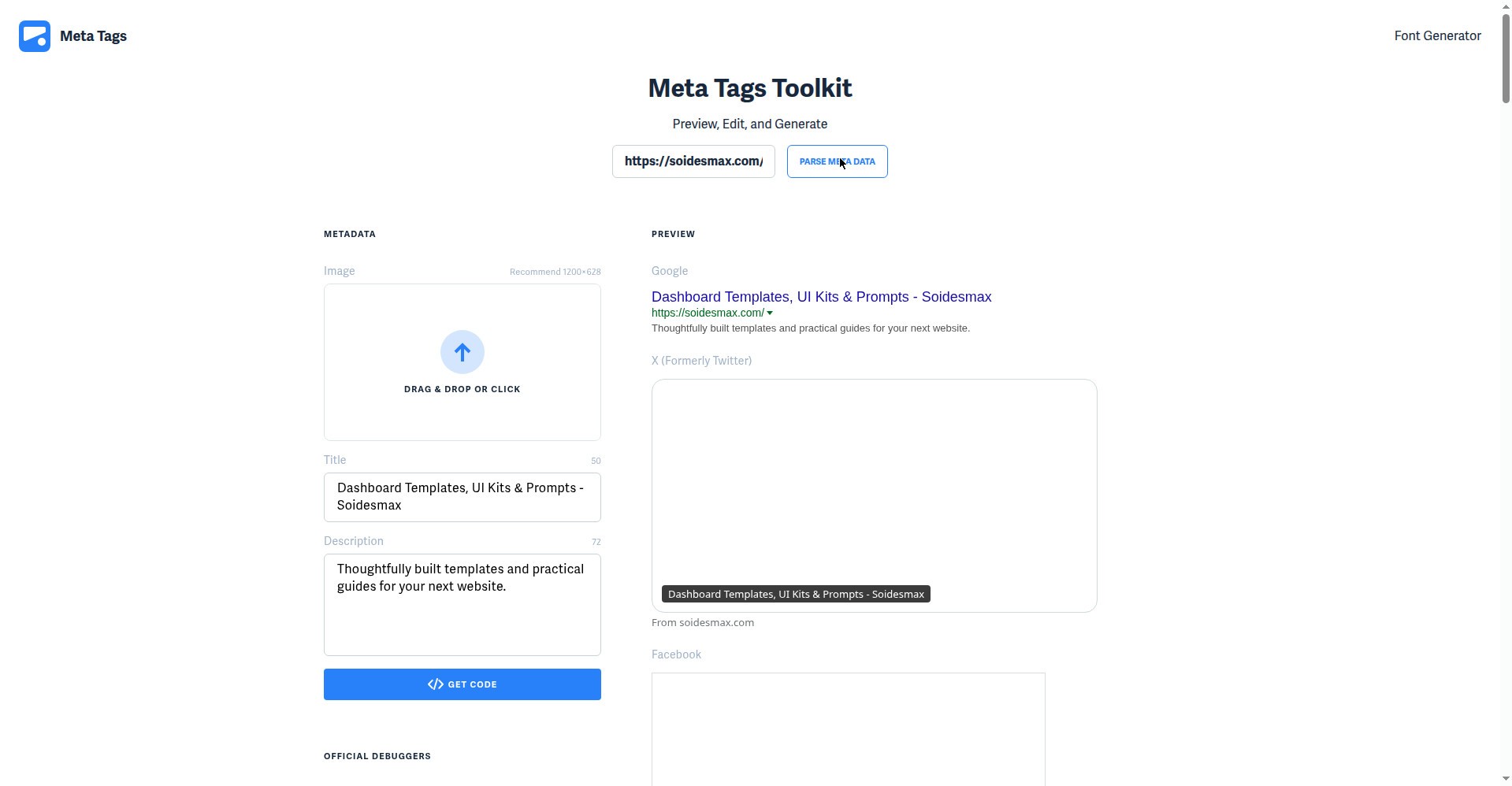
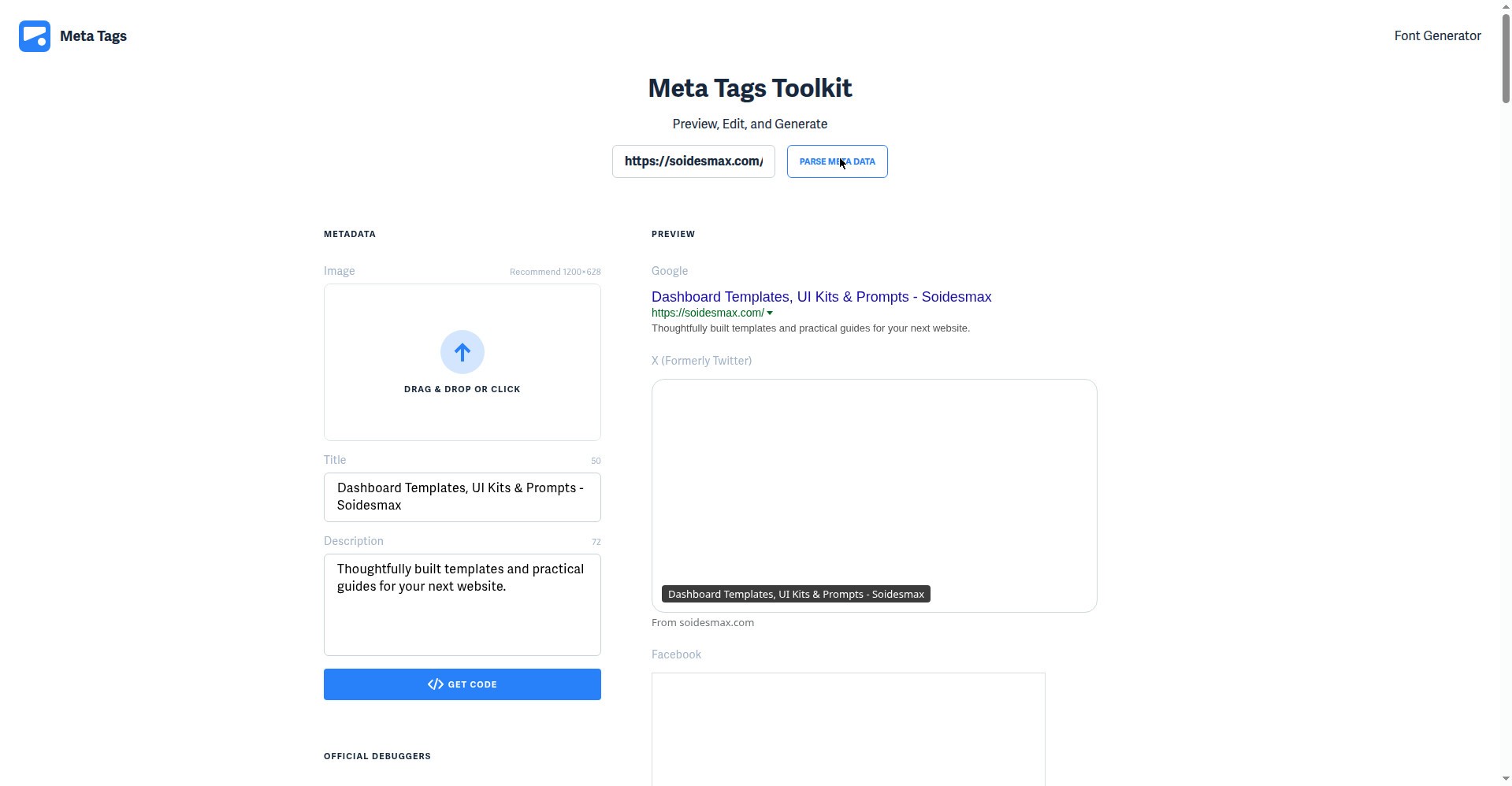
metatags.io is a free preview and tag generator that needs no account. You type in a URL, a title, a description, and an image, and it shows you the card side by side on Google, Facebook, X, LinkedIn, Pinterest, and Slack. You can edit the title, description, and image right in the tool and watch every preview update as you type.
That edit-first flow is what makes it useful for a new page. Instead of publishing, sharing, and hoping, you draft the card the way you would draft a headline: shorten the title until it fits, rewrite the description until the cut lands on a clean sentence, swap the image until the crop looks right. The tool gives character guidance as you type, so you can see when a title is about to be cut.
When the card looks right, metatags.io generates the finished meta tags as HTML you can copy into your page. The core tool is free with no signup. There is also a paid WordPress plugin from the same maker, but the web tool itself costs nothing to use.
OpenGraph.xyz: check a live link in one place
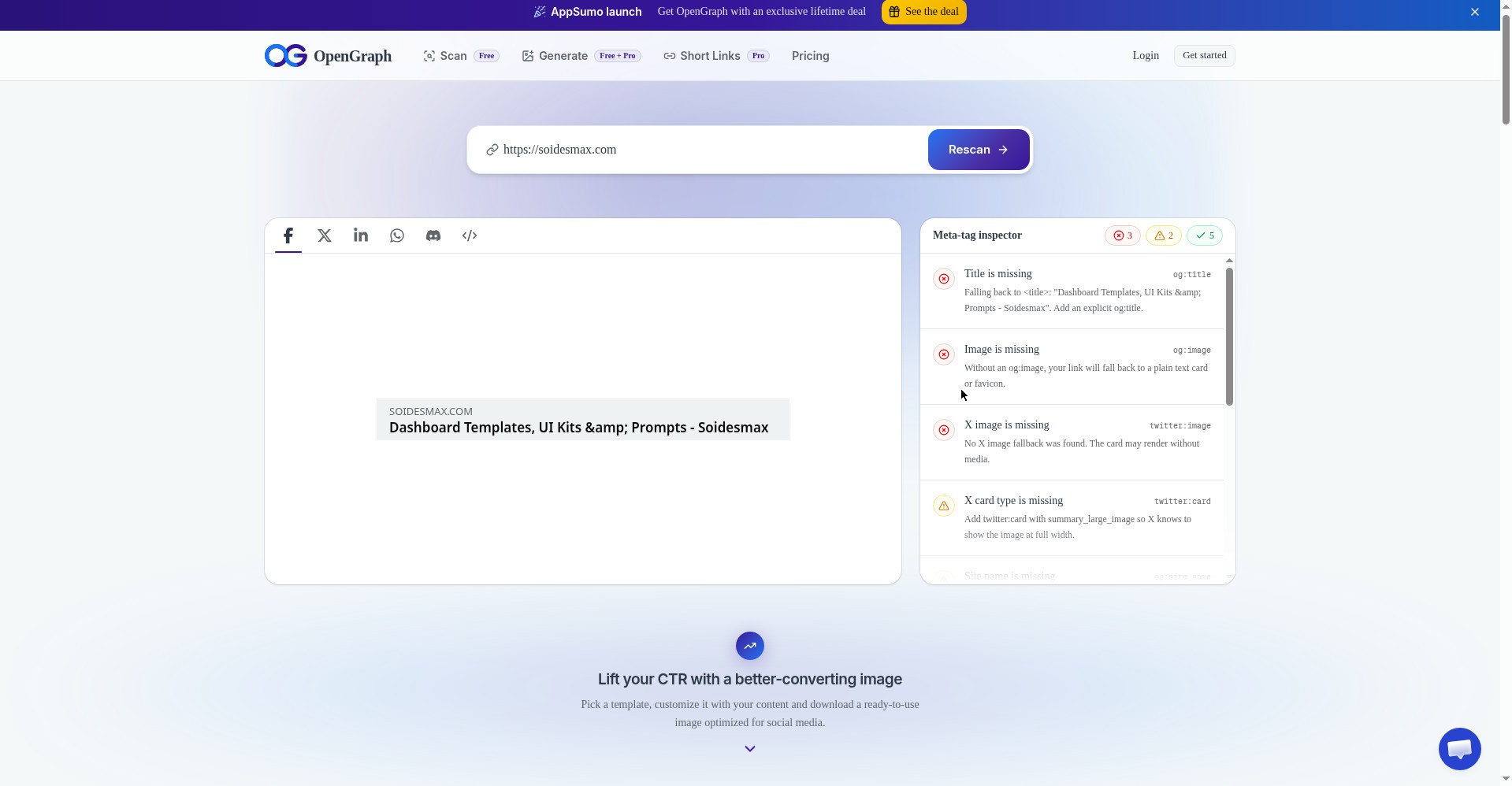
OpenGraph.xyz works the other way around. You paste a live URL, and it fetches the page the way a social crawler does, then shows the card that page will produce across Facebook, X, LinkedIn, and Discord. It also flags tags that are missing or wrong, so a broken preview turns into a short list of fixes instead of a guessing game.
It has a technical inspector where you can edit the title, description, and image, see how the result would look in real time, and copy the matching meta tags. It can also generate an Open Graph image from a template, which is handy when a page has no cover image at all. Scanning, previewing, and creating an image from a template are free, with no login required.
One thing to know: OpenGraph.xyz caches its results, so it can show a slightly older version of a page right after you change the tags. If you just deployed a fix and the tool still shows the old card, that is the cache, not your page.
The official debuggers: Facebook, LinkedIn, and the X validator that no longer exists
Each major platform ships its own debugger, and they are worth knowing because only the platform itself can clear its own cache.
The Facebook Sharing Debugger lives at developers.facebook.com/tools/debug. You paste a URL, and it shows the exact tags Facebook scraped, any warnings about what is missing, and the link preview it will use. The useful button is Scrape Again, which forces Facebook to fetch the page fresh and clears a stale preview. It needs a Facebook login, and it covers Meta platforms only: Facebook, Instagram, and WhatsApp share the same crawler.
The LinkedIn Post Inspector lives at linkedin.com/post-inspector. You paste a URL, click Inspect, and it shows the preview LinkedIn will use, the properties it found (title, description, image, type, author), the redirect trail it followed, and when it last fetched the page. Inspecting a URL also refreshes the copy LinkedIn has stored, so it doubles as a cache buster. Two things to know: it only fixes new posts, because posts already published keep the preview they were created with, and you need to sign in to run an inspection. The page itself opens without an account, but clicking Inspect sends you to the sign-in page.
The X Card Validator is the odd one out, because it no longer exists as a preview tool. X removed the preview from its Card Validator in August 2022, saying the previews did not always match how cards looked across its apps. The old addresses now send signed-out visitors to the X login page, and X has shipped no replacement. The check that remains is the post composer: paste the link into a new post without sending it, and the card appears as your readers will see it. Two more things about X are worth remembering. Since late 2023, X lays the headline over the bottom of the picture on a large card and drops the description entirely, so the image has to work with text sitting on it. And X caches card data for roughly seven days with no refresh button, so after a fix, sharing the URL with a query string like ?v=2 makes X treat it as a new address and fetch the tags again.


How to fix a broken preview in ten minutes
When a shared link looks wrong, run this sequence. It takes about ten minutes and it works for almost every case.
First, check what the crawler sees. Paste the URL into OpenGraph.xyz and read the card it builds. If the card is wrong there, the problem is in your tags, not in any one platform.
Second, fix the tags. Make sure og:title, og:description, og:image, and og:url are all present, the image URL is absolute and starts with https://, and the image is 1200 by 630. Shorten the title under 70 characters and the description under 160 so nothing is cut mid-sentence.
Third, check access. Open the image URL in a private browser window while logged out. If it does not load, neither will the crawler. Check that robots rules and any firewall or bot challenge allow the platform crawlers through.
Fourth, clear the cache. For Facebook, open the Sharing Debugger and click Scrape Again. For LinkedIn, run the URL through Post Inspector again. For X, share the URL with a query string like ?v=2 so it fetches fresh.
Fifth, verify with a fresh fetch. Run the URL through OpenGraph.xyz once more, or paste it into a new draft post and look at the card before sending. Do not trust the first share as the test, because that share is the one your followers see.
Draft the card first with Soidesmax Social Preview
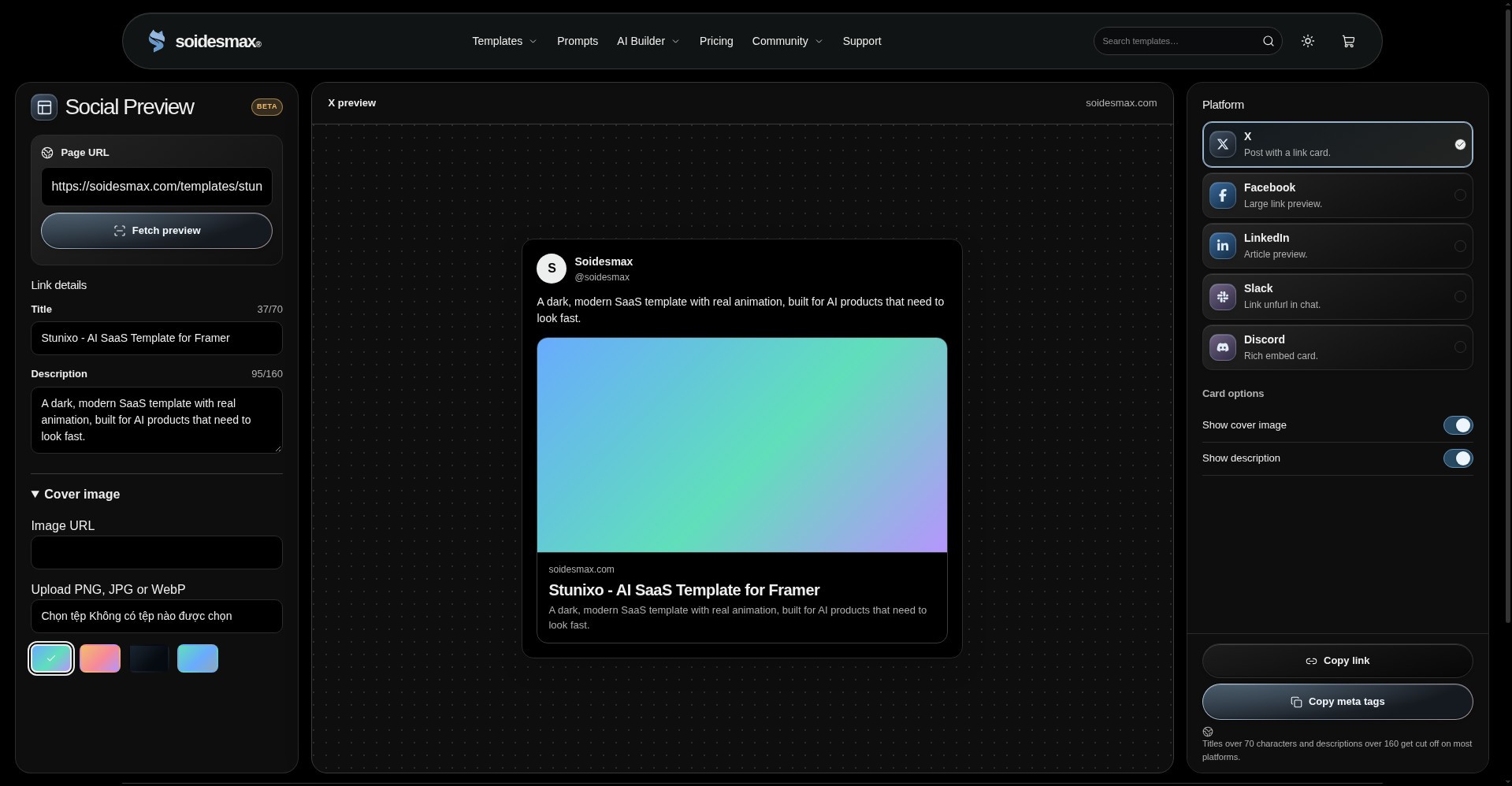
The tools above check a page that already exists. Soidesmax Social Preview is built for the step before that: drafting the card. You type the URL, the title, and the description once, pick a cover, and see how the card looks on X, Facebook, LinkedIn, Slack, and Discord, one platform at a time.
The tool counts characters as you type, with the title capped at 70 and the description at 160, and it warns you when the text is about to be cut on most platforms. You can switch the cover between four gradients (Aurora, Ember, Ink, and Mint), toggle the cover image and the description on or off, and compare how the same draft reads as an X post, a Facebook preview, a LinkedIn article card, a Slack unfurl, or a Discord embed. When the draft is right, one button copies the finished meta tags (og:title, og:description, og:url, og:type, and the X card tags) ready to paste into your page, and another copies the link itself.


The bottom line
A link preview is a small thing that does a large job. It is the first thing people see, and it is built from four tags you control. Check the card before you post, keep the title under 70 characters, the description under 160, and the image at 1200 by 630. When a preview breaks, check what the crawler sees, fix the tags, clear the platform cache, and verify with a fresh fetch.
If the page behind the link is a product page, it deserves the same care as the card. Browse the templates when you are ready to start from a page that is already built to be shared.