How to Audit Your Website's SEO in 2027
An SEO audit finds the pages Google cannot see, the titles that do not earn clicks, and the errors that quietly cost rankings. Here is how to run one with Google Search Console, Ahrefs, Semrush, Moz, and Screaming Frog, and how to get a fast first pass with Soidesmax SEO Check.
Soidesmax Editorial · 14 min read · Updated 2026-11-29
An SEO audit is a check of everything that decides whether search engines can find, understand, and trust your pages. It is not a ranking guarantee and it is not a one-time fix. It is a list of facts about your site: which pages are indexed, which titles are missing, which links are broken, and which pages are too slow to keep a visitor.
Most audits follow the same shape. Start with Google's own data, because Google sends the traffic. Then run a crawler over the whole site to catch the technical problems that Google's reports do not list one by one. Then read the results in priority order, fix the errors first, and run the audit again. This post walks through that shape with Google Search Console, Ahrefs, Semrush, Moz, and Screaming Frog, and ends with a faster first pass using Soidesmax SEO Check.
What an SEO audit actually checks
An audit looks at six areas, and each one answers a different question about your site.
Crawlability asks whether search engine bots can reach your pages at all. A page blocked by robots.txt, trapped behind a redirect loop, or returning a server error is invisible no matter how good its content is. Indexability asks which reachable pages are actually in Google's index, and why the others are not: a noindex tag, a canonical pointing elsewhere, or Google's decision that the page is not worth indexing.
On-page SEO covers the title tag, the meta description, the main heading, and the heading order: the signals Google reads first, and what a searcher sees in the results page. Content checks look for thin and duplicate pages. Link checks find broken links, redirect chains, and orphan pages. Performance checks cover page speed and mobile presentation, because a slow page loses visitors before ranking even matters.
One thing an audit does not do is measure rankings directly. No crawler can tell you where a page ranks, because rankings depend on the query, the location, and the moment. Rankings come from the Performance report in Search Console and from rank trackers. An audit tells you what is broken; rankings tell you what that breakage costs.
Start with Google: Search Console
Google Search Console is free, and it is the first tool in every audit: it shows your site the way Google sees it. Setup requires proving you own the site, usually by adding a DNS record or uploading a verification file, and then Google starts collecting data.
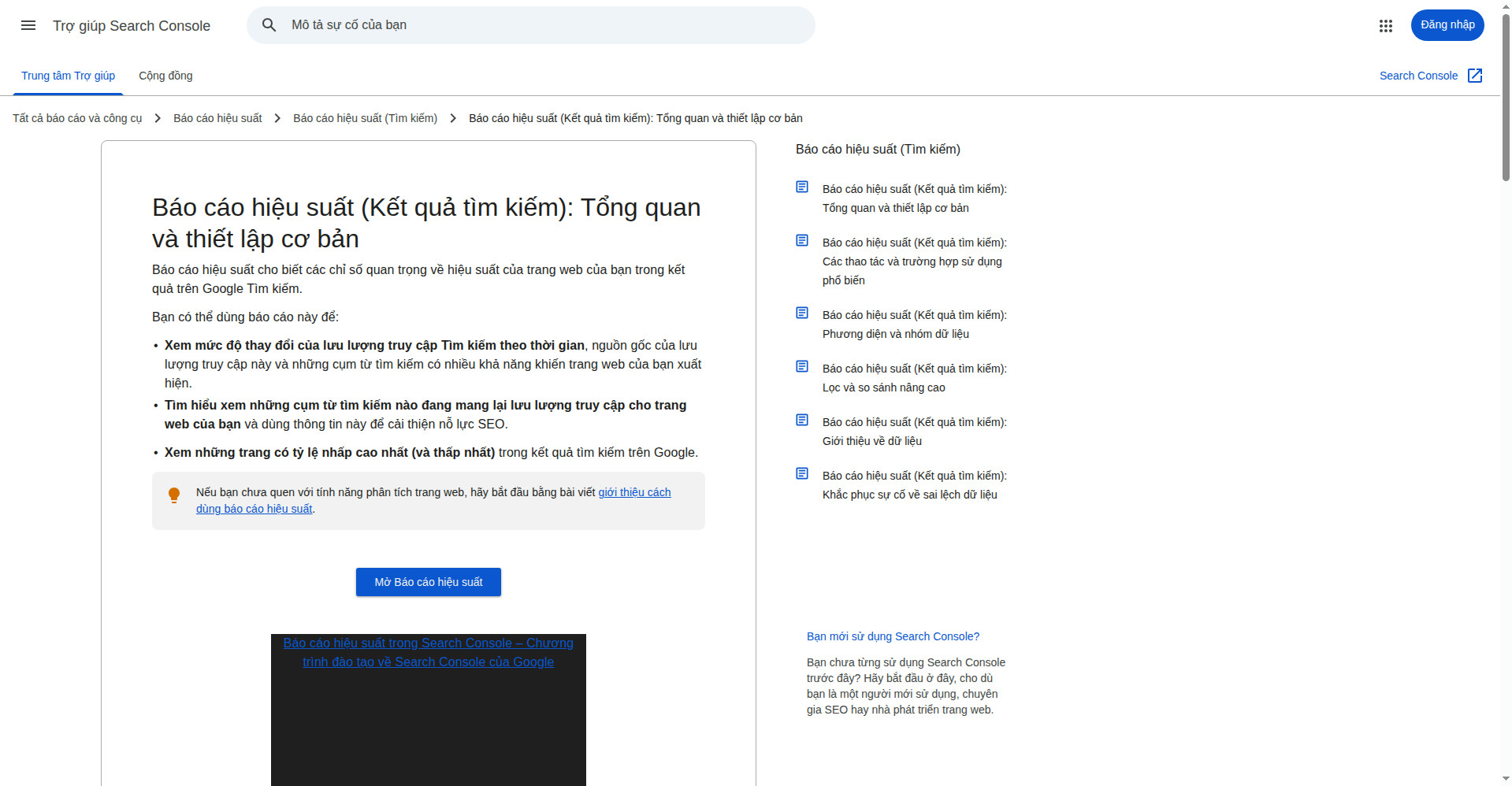
The Performance report is the traffic side: the actual search queries behind your Google traffic, with clicks, impressions, click-through rate, and average position for each query and page, going back 16 months. Sort by impressions to find queries where your pages appear but nobody clicks. Those are your best title and description fixes, because the ranking is already there.
The Pages report is the coverage side: your known URLs split into indexed and not indexed, with the reason for every page that is not, such as a noindex tag, a page Google crawled but chose not to index, or a page blocked by robots.txt. A large gap between the pages in your sitemap and the pages Google indexed is a red flag worth investigating first.
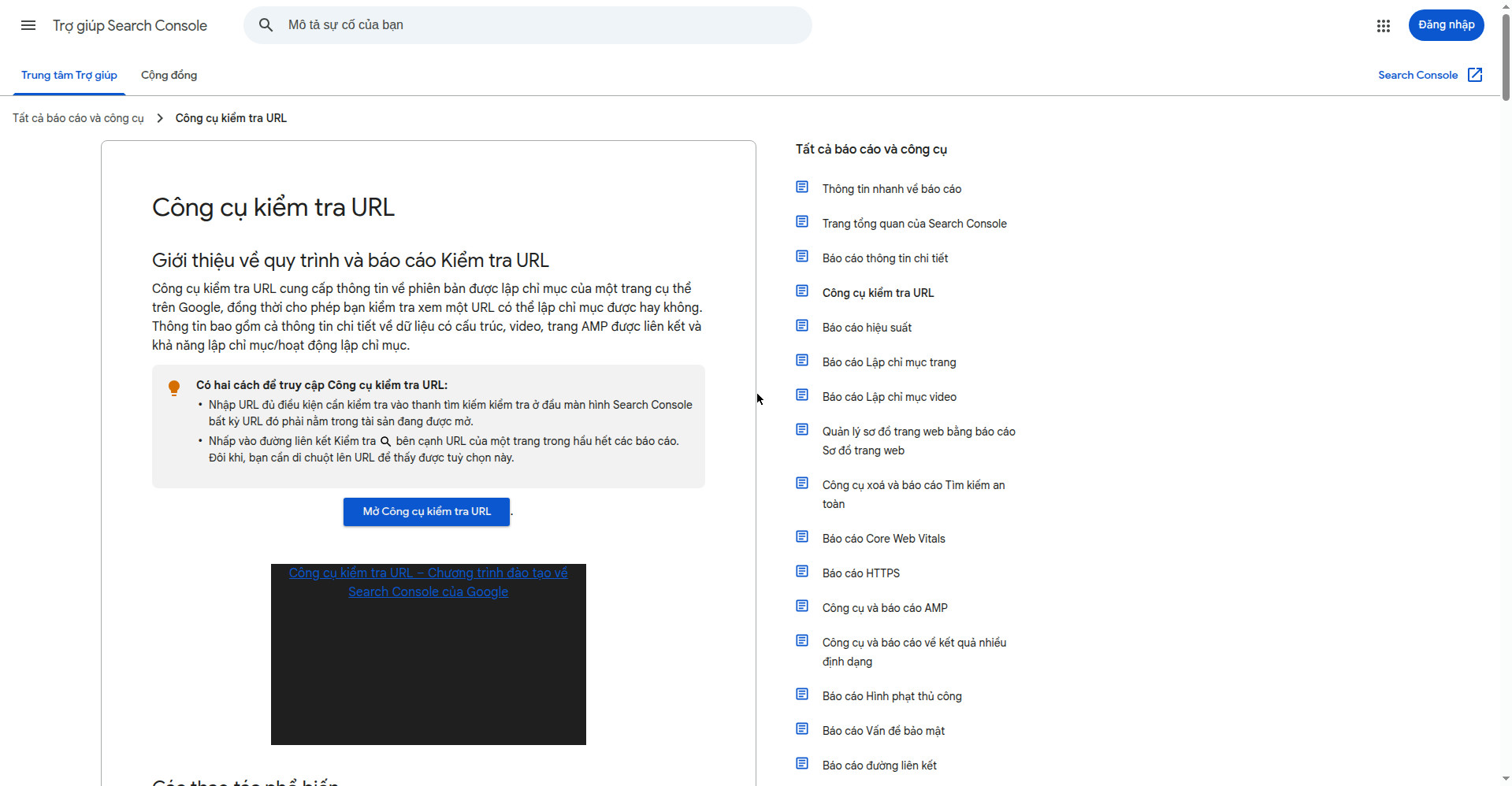
URL Inspection is the one-page view. Paste any URL from your site into the search bar at the top to see whether that page is indexed, when Googlebot last visited, and which canonical URL Google chose. The live test fetches the page right now, which is how you check whether a fix worked before Google recrawls on its own schedule. If the page is not indexed, the Request Indexing button asks Google to crawl it, though Google applies a daily quota and does not guarantee immediate indexing.
The rest fills out the picture: Core Web Vitals field data from real Chrome users, sitemap status, Manual Actions and Security Issues, rich result Enhancements, and the Links report.
What Search Console cannot do is crawl your whole site on demand and list every on-page problem. It reports what Google already knows, page by page. Checking every title, heading, and image is the job of the crawlers below.
Ahrefs Site Audit: a crawler with a Health Score
Ahrefs Site Audit is a web crawler that maps your entire website and checks every page against more than 140 technical and on-page criteria. You point it at a domain, it visits every page it can find, and it returns a prioritized report with a single Health Score from 0 to 100.
Read the Health Score first: the share of internal URLs without errors, divided by the total internal URLs crawled, times 100. Only errors count, so the score answers one question: what share of your site is free of serious problems.
The checks cover crawlability and indexability, on-page SEO (missing, duplicate, or badly sized titles, meta descriptions, and headings), performance, links, and structured data and social tags. Ahrefs renders JavaScript, so it also catches content that only appears after a page's scripts run, which basic crawlers miss.
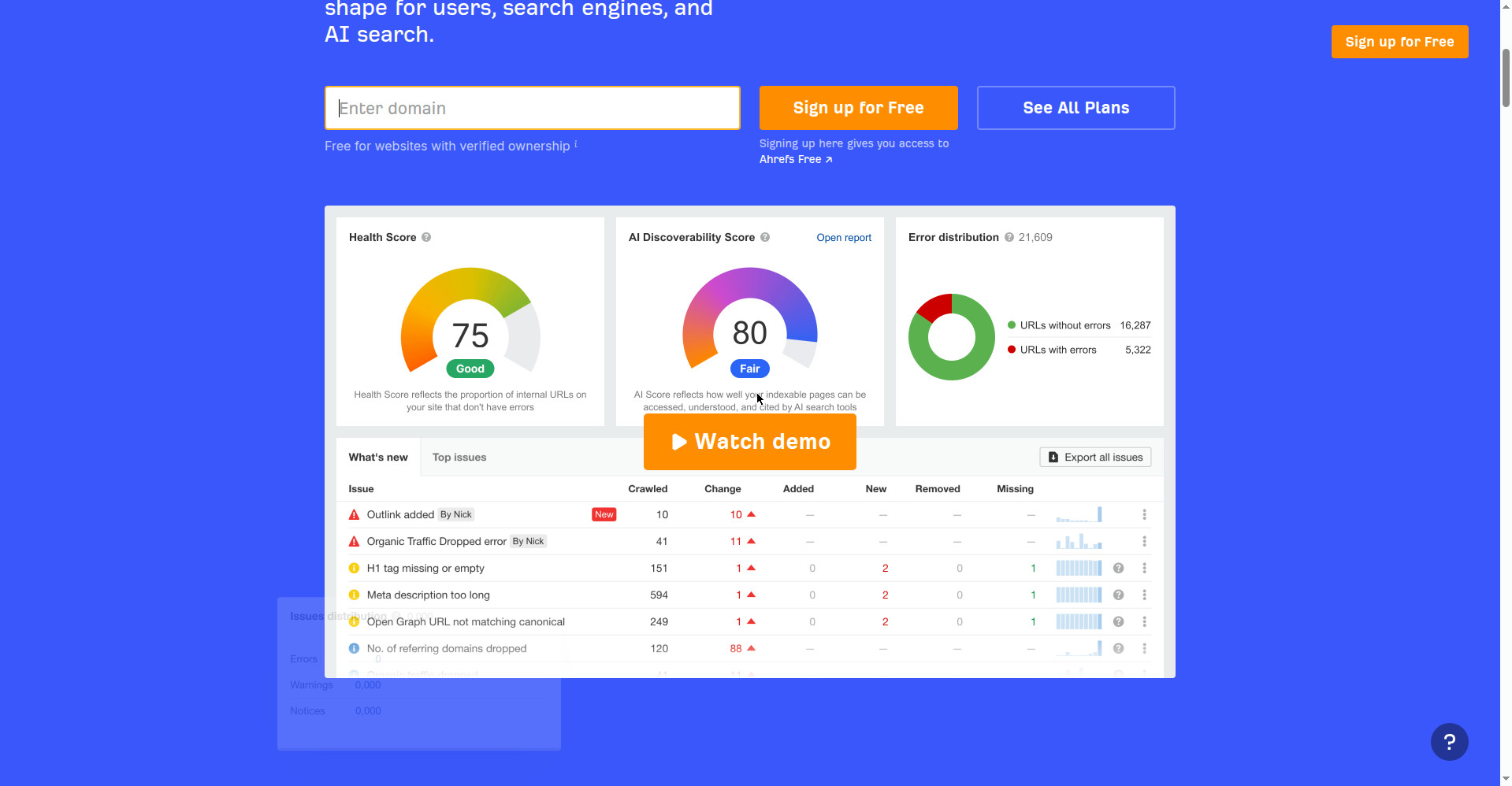
The free way in is Ahrefs Webmaster Tools, for websites where you can prove ownership. Verified projects get 5,000 crawl credits per project per month, the crawl runs in the cloud, and history is kept for three months, so you can compare crawls and see what improved. Scheduled crawls with email alerts keep it running without you remembering to start it.
Ahrefs Site Audit is the right tool when you want one thorough technical audit with one score to watch over time, next to backlink and keyword data in the same account.
Semrush Site Audit and Moz Site Crawl: the all-in-one suites
Semrush Site Audit and Moz Site Crawl do the same core job as Ahrefs, inside wider SEO suites. The audit is one module among keyword research, rank tracking, and backlink analysis, so you read the technical problems next to the traffic and ranking data they affect.
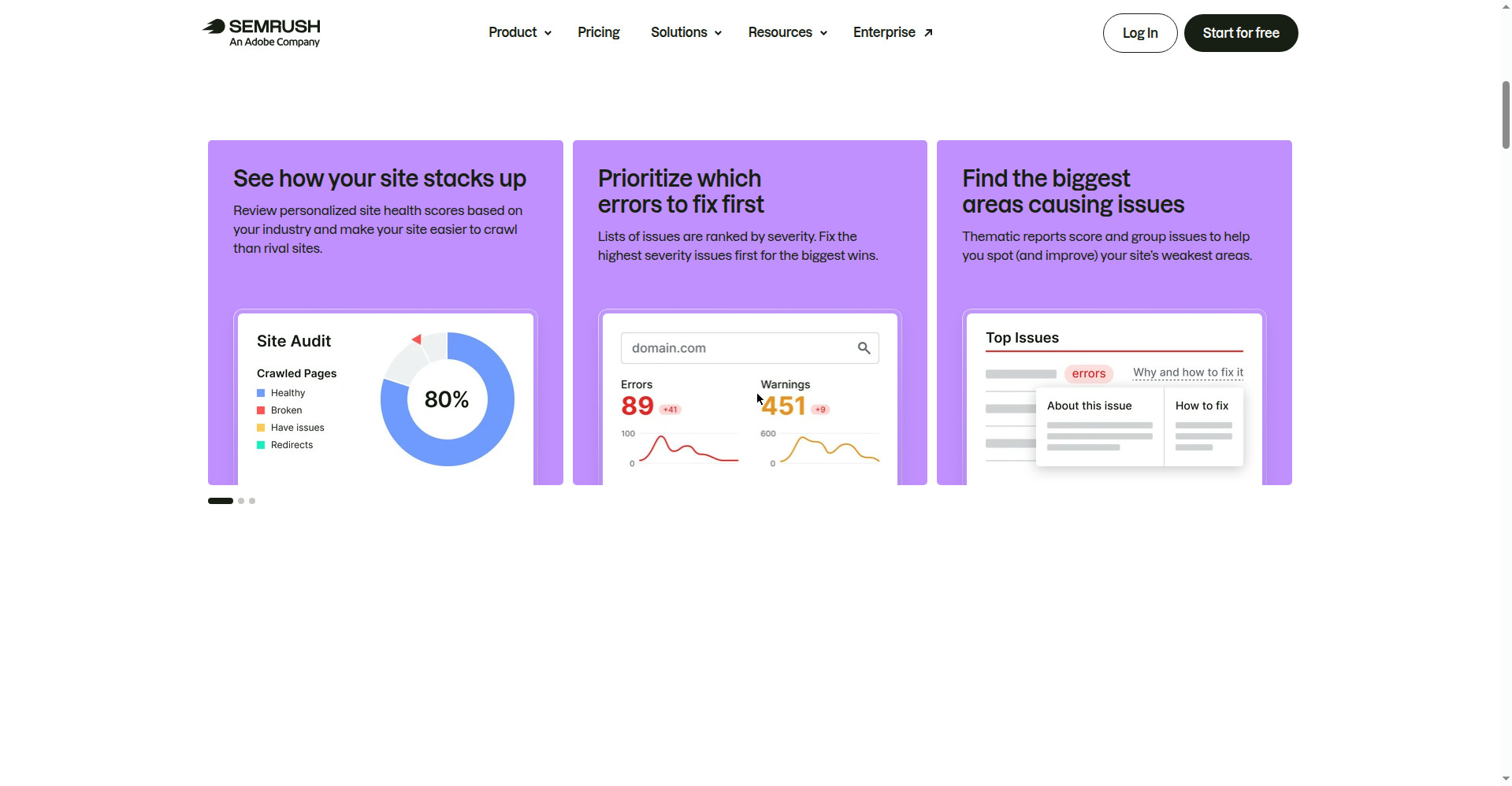
Semrush Site Audit checks a site for more than 120 on-page and technical issues and scores it with a Site Health score from 0 to 100. The score measures problem density, not problem count: errors weigh more heavily than warnings. The report groups everything into errors, warnings, and notices, and adds seven thematic reports: robots.txt, crawlability, HTTPS, site performance, Core Web Vitals, internal linking, and international SEO. A free account covers 100 pages per audit, data is stored for up to a year, and results export as PDF, spreadsheet, or CSV. JavaScript rendering needs a higher tier.
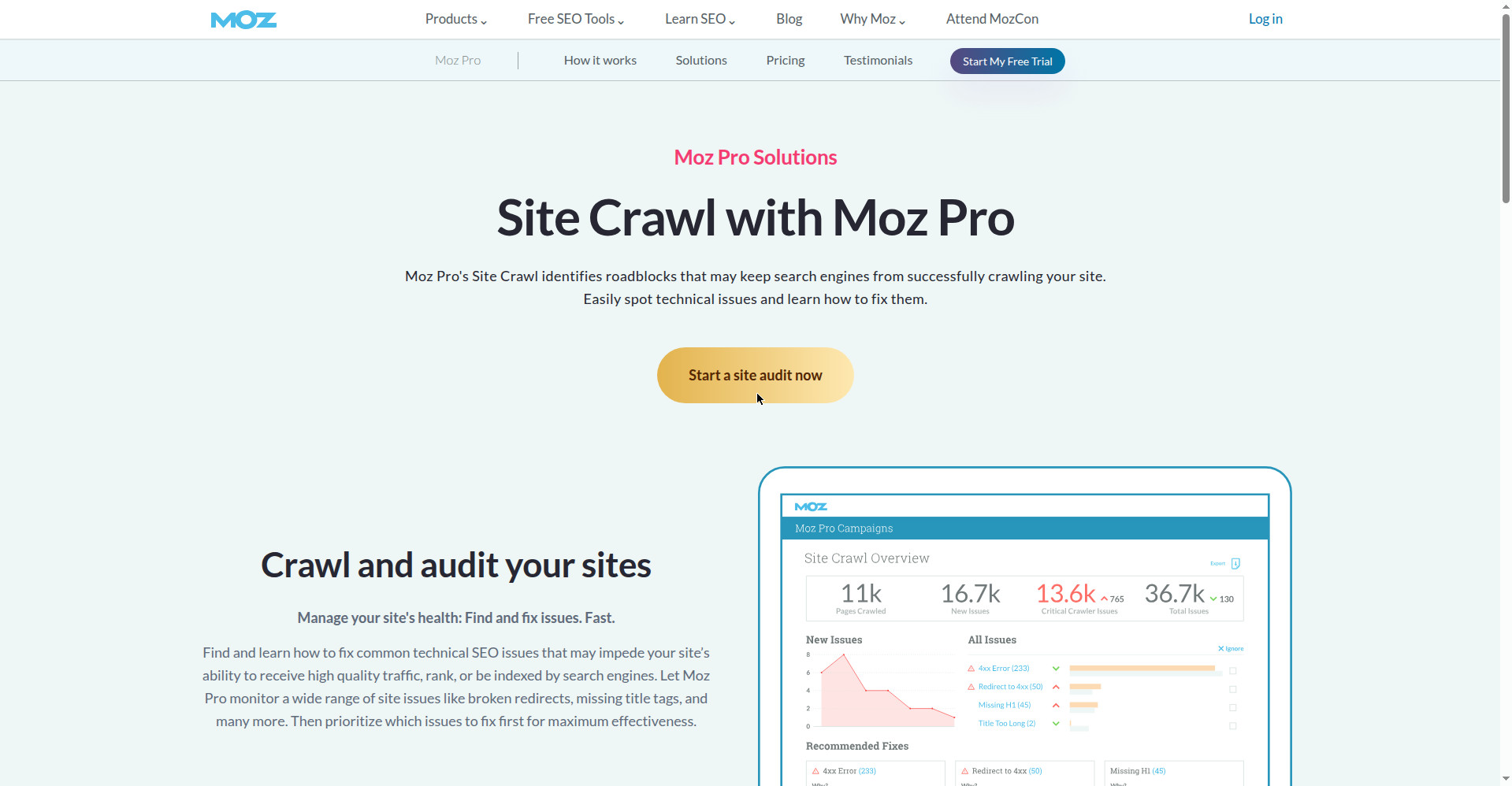
Moz Site Crawl works through a Moz Pro campaign. You add a domain, set a crawl limit, and the crawler, called Rogerbot, scans the site and groups findings into Critical Crawler Issues, Crawler Warnings, Redirect Issues, Metadata Issues, and Content Issues. It covers more than 100 checks and runs on a weekly schedule with alerts when new issues appear. Its Domain Overview dashboard shows a health score from 0 to 100 with trend charts. Site Crawl needs a paid Moz Pro plan: the free Moz tools do not include it.
Choose a suite when the audit is one part of a larger SEO workflow. If you only need the technical audit, a focused crawler or a free checker is cheaper and faster. If you already use Semrush or Moz for keywords and rankings, running the audit there keeps everything in one place.
Screaming Frog SEO Spider: the desktop crawler
Screaming Frog SEO Spider is desktop software, not a cloud service. You install it on Windows, macOS, or Linux, point it at a website, and it walks every link the way a search engine would, on your own machine. The crawl data stays on your computer by default.
The free version covers 500 URLs per crawl, enough for a small business site, a spot check, or learning the tool. The paid licence costs around 279 dollars a year (price checked in October 2026) and removes the URL cap while adding JavaScript rendering, scheduled crawls, custom extraction, and API connections to Google Analytics, Search Console, PageSpeed Insights, Ahrefs, Majestic, and Moz.
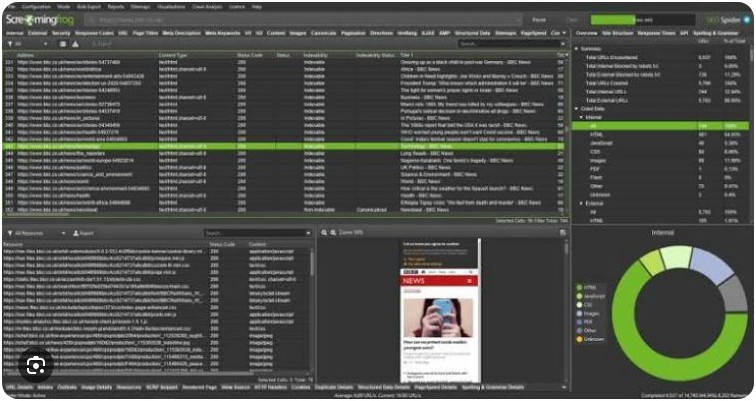
One crawl lists more than 300 technical and content issues, sorted into errors, warnings, and opportunities. It is best at the template-level problems that dashboard tools hide: every 404 and redirect chain with the page it sits on, missing or duplicate titles and meta descriptions across the whole site at once, canonical and indexability problems, structured data validation, hreflang gaps, and crawl depth, which shows how deep your important pages sit. Results export as spreadsheets, so a finding can go straight into a developer ticket.
What it does not do is keyword research, rank tracking, or backlink analysis. It is a single-purpose crawler, and the analysis is less guided than a cloud suite: the tool shows you the data and leaves the prioritization to you. For technical SEOs and agencies who want deep local crawls at a low per-user price, that trade is worth it. For a first audit, start with Search Console and a free checker, and reach for Screaming Frog when you need the deepest crawl.
How to read an audit report without drowning
Every audit tool returns the same shape: a long list of issues grouped by severity. It looks overwhelming until you read it in the right order.
Fix errors first: 5xx server errors, 4xx broken pages, redirect loops, and noindex tags on pages that should rank. These are usually few in number with a clear fix each, so they are the highest return work in the report.
Then warnings: missing or duplicate meta descriptions, thin content, slow pages, missing alt text, and redirect chains. Then notices, hygiene items worth a pass once the bigger problems are handled. Most tools sort the list this way already.
Fix template-level problems before page-level ones. If a missing title comes from a template shared by 200 blog posts, one fix repairs all 200 pages. Sort by affected pages, not by issue name, and start at the top.
Re-run the audit after fixing. A fix you did not verify is a guess, and the re-run is the proof. Compare the new score against the old one, check that the errors you fixed are gone, and confirm the important pages in Search Console with URL Inspection.
Do not chase a perfect score. A score of 100 means the tool found nothing it checks, not that the site ranks first. Rankings depend on content quality, links, and competition, which no audit score measures. A site at 85 with strong content beats a site at 100 with thin pages. Use the score to track whether the site is getting cleaner, and stop when only notices remain.
A faster first pass: Soidesmax SEO Check
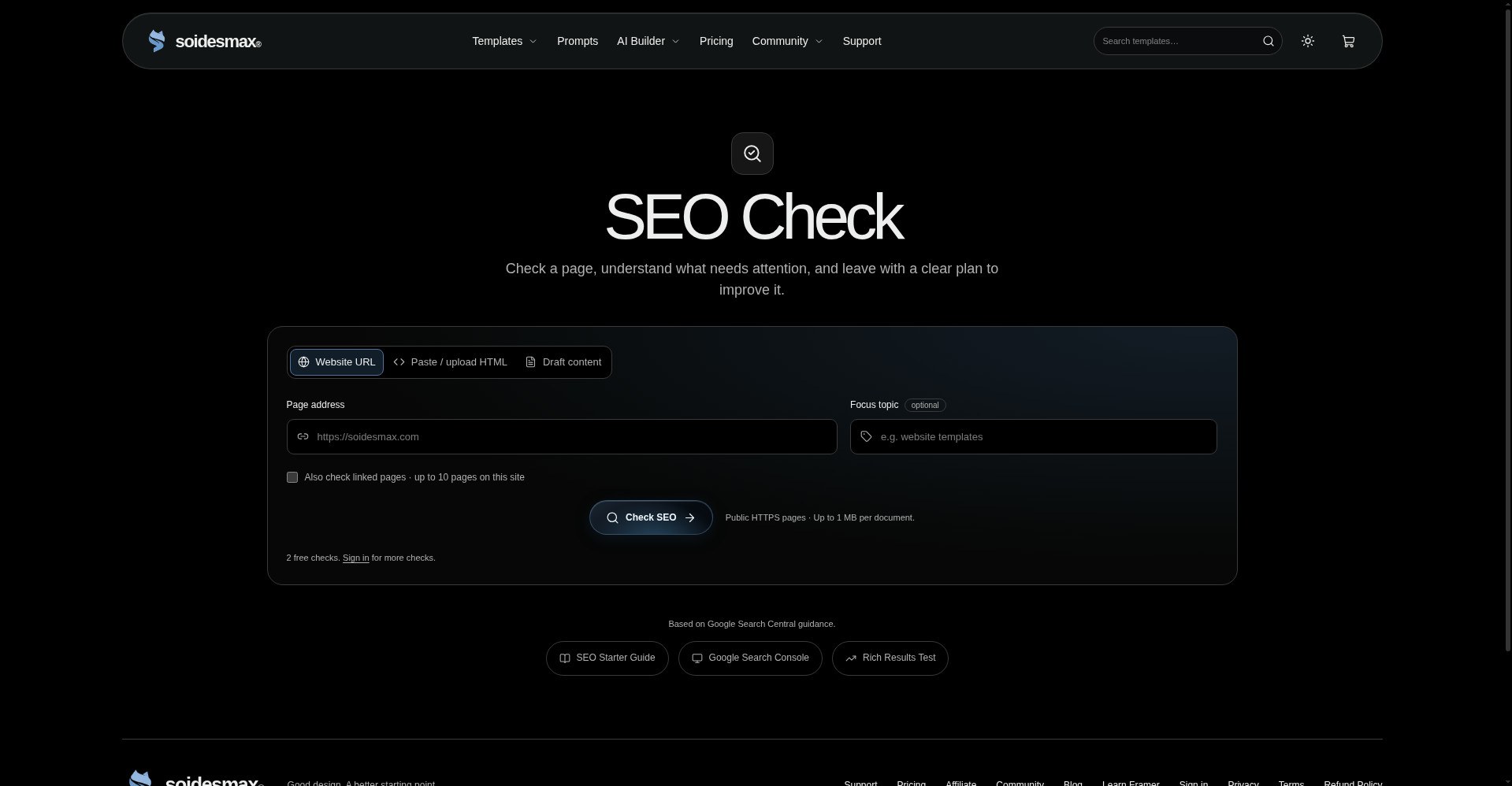
The tools above are thorough, and thorough takes time: an account, a crawl that runs for minutes, and a report to read. Sometimes you want a fast answer for one page before you publish it or commit to a full audit. That is what SEO Check does: the free SEO checker on this site, running a page audit in seconds.
It has three modes. Website URL fetches a public page, checks its robots.txt and default sitemap, and can also check up to 10 linked pages on the same site. Paste or upload HTML checks a page file of up to 1 MB without publishing it. Draft content checks a title, meta description, main heading, and body text before the page exists.
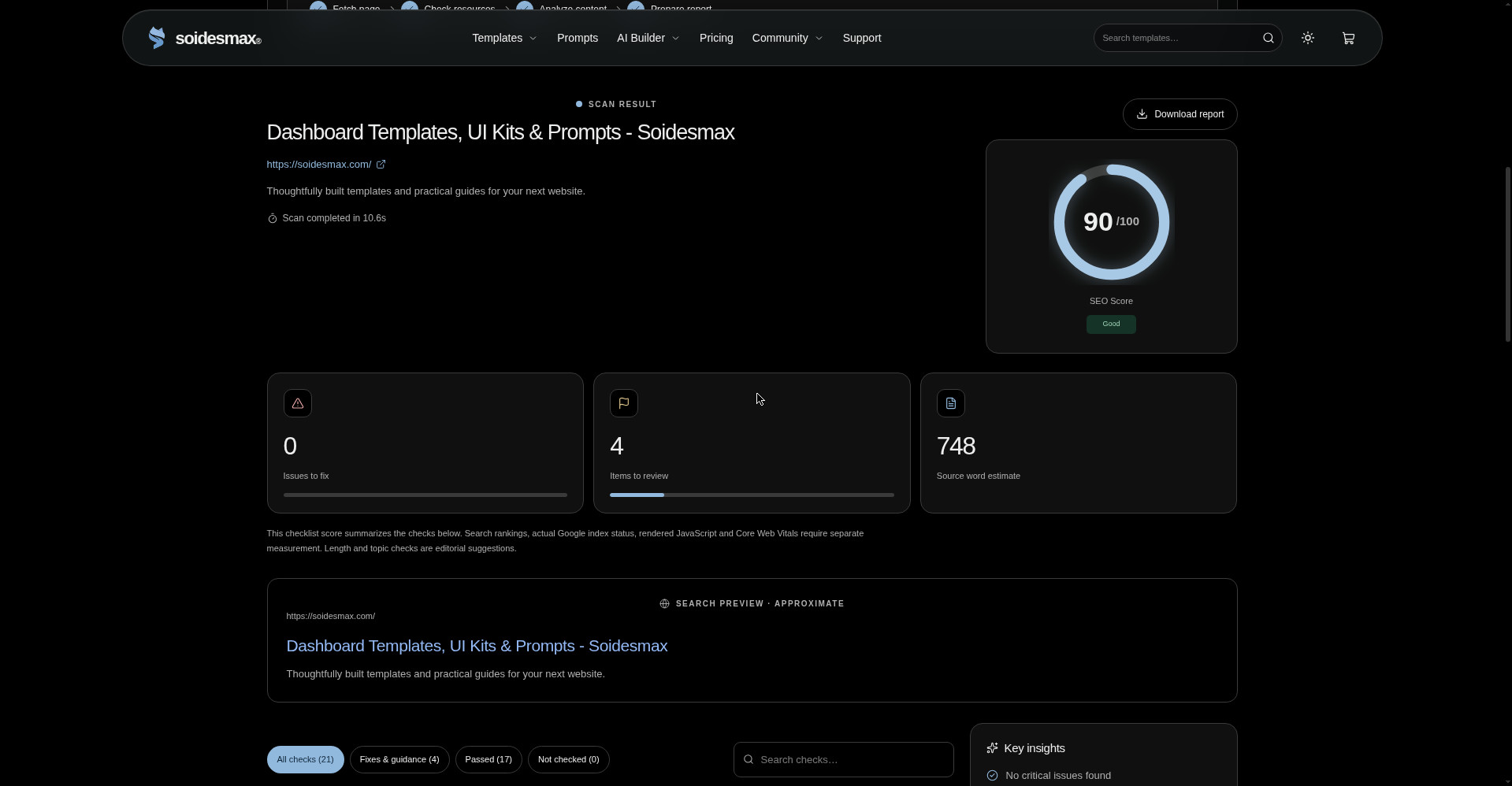
The analysis runs on your device in a web worker, and the report gives a score out of 100 with a verdict: Good at 70 and above, Fair from 50 to 69, and Needs work below 50. Below the score are counts of issues to fix, items to review, passed checks, and checks that could not run, plus a word count estimate and a search preview of how the title and description would look in Google results.
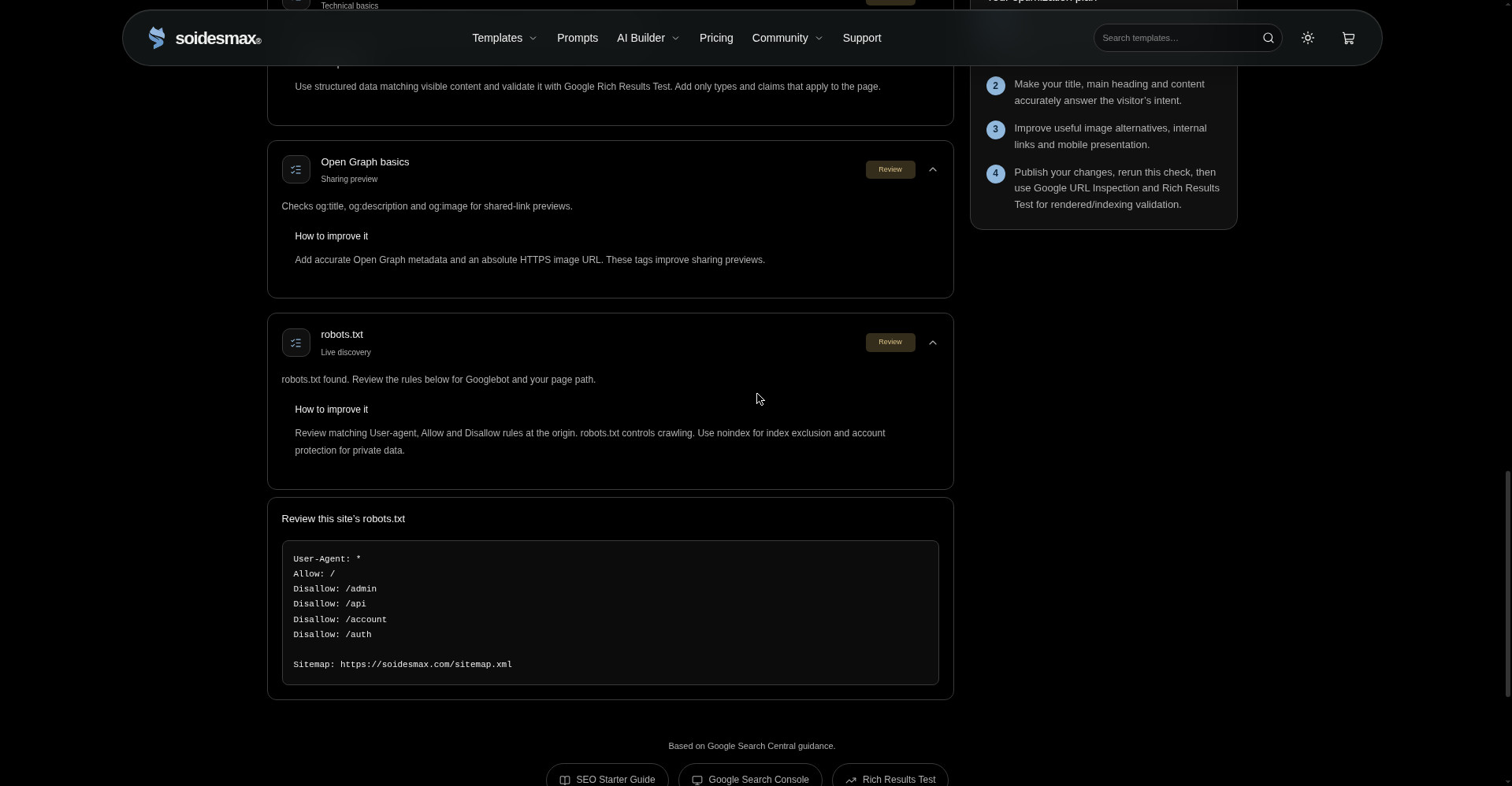
The checks cover the on-page basics: page title and readability, meta description, canonical URL, main heading and heading order, image alt text and dimensions, crawlable internal links, the default sitemap, document language, mobile viewport, structured data, Open Graph tags, and robots.txt. Each check opens to show what was found and a "How to improve it" section with a copyable example, so the report is a to-do list with each fix attached. The full report downloads as JSON, and the page shows a four-step plan: fix HTTP errors and canonical conflicts first, then titles and headings, then images and links, then publish, re-run the check, and confirm in Search Console.
Guests get 2 free checks a day, and signed-in accounts get 20 a day. The tool states its limits on the results page: the checklist score does not measure search rankings, actual Google index status, rendered JavaScript, or Core Web Vitals. Those need separate measurement, which is exactly what Search Console is for. Use SEO Check for the fast first pass on one page, and the crawlers above for the whole site.
How often to audit, and what to do next
A small site needs an audit every quarter, or after a redesign, a migration, or a new section. A larger site with frequent publishing needs one every month. Any big change deserves an audit immediately: a migration, a template change, a new language version, or a traffic drop you cannot explain. Between audits, Search Console is the monitor: check the Performance and Pages reports weekly.
The workflow stays the same at any size. Audit the site, fix the errors first, re-run the audit to confirm the fixes, and confirm the important pages in Search Console with URL Inspection. Then go back to publishing: an audit is a to-do list, not a grade. The site that improves a little every month beats the site that audits once a year and fixes nothing.
If the audit finds template problems, fixing the template is usually faster than fixing pages one by one. Starting from a finished front end helps for the same reason: the screens, headings, and metadata structure are already built. Browse the templates when you are ready to rebuild on a base that already passes the basic checks, and run SEO Check on the result before you publish.