What to Fix First After an SEO Audit
An SEO audit hands you a long list of issues. Fix them in the wrong order and you spend weeks on things that change nothing. Here is the order that matters: indexing first, then titles, headings, images, links, and speed, with a fast re-check in Soidesmax SEO Check.
Soidesmax Editorial · 14 min read · Updated 2026-11-29
An SEO audit ends with a list. Sometimes it is twenty items long, sometimes two hundred, and every item looks urgent because the tool marked it red or called it an error. The order matters more than the count, because some fixes unlock traffic and others only polish pages that nobody can find.
The rule is simple: fix the things that keep pages out of Google first, then the things that decide whether people click, then the things that help Google understand the page, and only then the polish. Indexing comes before titles, titles come before headings, headings come before images, images come before links, and links come before speed. A page that is not indexed cannot rank no matter how good its title is, and a fast page with a broken title still loses the click.
This post assumes you already have an audit in hand. What follows is the order to work through it.
Why the order of fixes matters
Every audit tool sorts issues by severity, and severity is a guess about importance. A missing meta description on a page with no traffic counts the same as a missing title on your best page. The tool does not know which pages earn money, which pages Google already trusts, or which pages are one fix away from page one. You do, or your analytics does, so the order has to come from you.
Think of it as a chain. Google has to crawl a page before it can index it, index it before it can rank it, and rank it before anyone can click it. A break early in the chain makes everything after it pointless. Fixing image alt text on a page that returns a 404 is wasted work. Rewriting a title on a page blocked by robots.txt is wasted work. The chain decides the order, not the severity label.
There is also a time argument. Indexing and title fixes take minutes each and show up in the next crawl. Content rewrites and speed work take hours or days per page.
First: fix the pages Google cannot index
Indexing is first because nothing else matters for a page Google has not indexed. Open the Pages report in Google Search Console and compare the count of indexed pages with the count of pages in your sitemap. A large gap means pages are being left out, and the report gives a reason for each one.
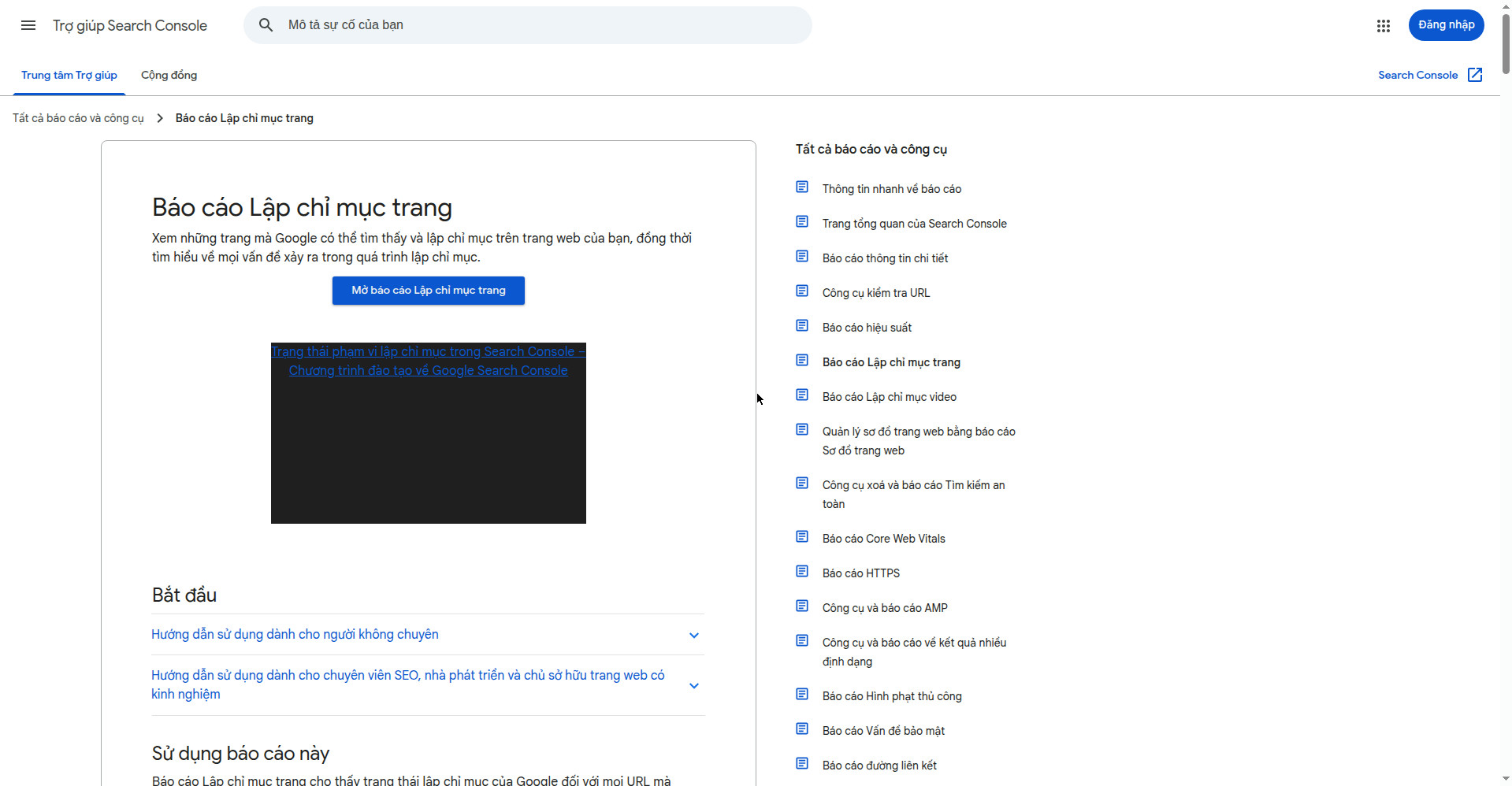
The common reasons are easy to sort. A noindex tag on a page that should rank is usually a mistake left over from staging or a template change, and removing the tag is the fix. A canonical URL pointing elsewhere tells Google the page is a duplicate, so check whether the canonical is correct before you change it. A page Google crawled but chose not to index usually means thin or duplicate content. A page blocked by robots.txt needs the block removed, or the page taken out of the sitemap if it was never meant to rank.
Screaming Frog, Ahrefs, and Semrush show the same problems from the crawl side. Verify the important pages in Search Console, because it is the only tool that reports what Google actually did.
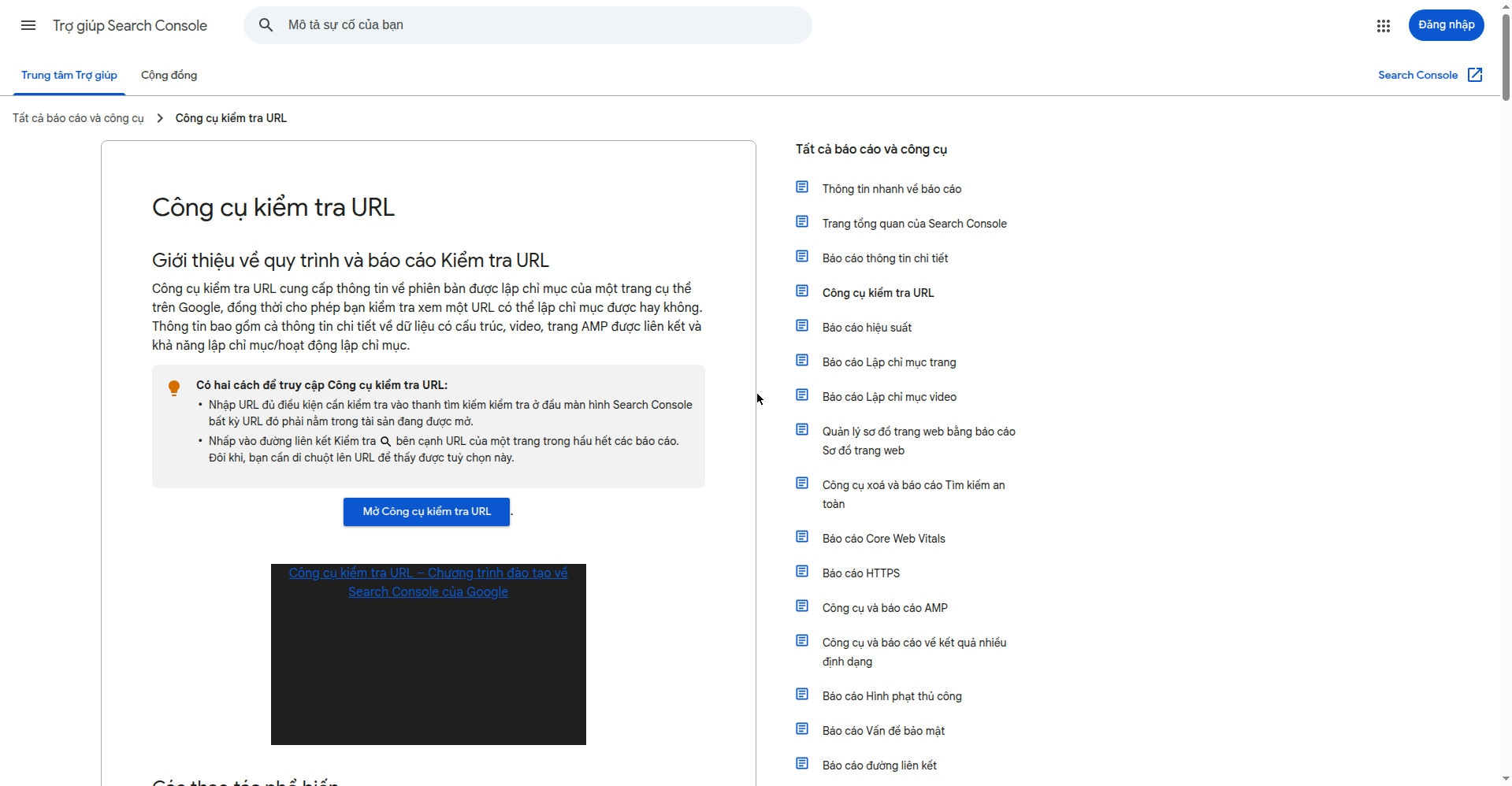
Check each fix with URL Inspection: paste the URL into Search Console to see whether the page is indexed, when Googlebot last visited, and which canonical Google chose. After a fix, run the live test and use Request Indexing to ask Google to crawl it again. Google applies a daily quota and does not promise immediate indexing.
Do not move on until the important pages are indexed. A tag archive or a filtered listing can wait.
Second: fix titles and meta descriptions
Once a page is indexed, the title decides whether anyone clicks it. Search Console tells you where the clicks are being lost: sort the Performance report by impressions and look for queries where your pages appear high but the click-through rate is low. The ranking is already there. The title is the problem.
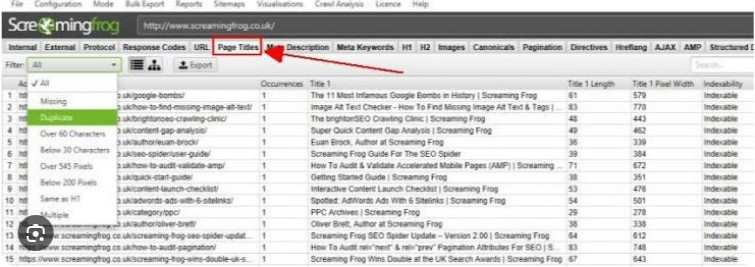
A good title says what the page is, in the words a searcher would use, and fits before Google cuts it off, usually around 50 to 60 characters. Put the important words first, because the cut happens at the end. Do not stuff the title with keywords: one clear phrase beats a list of terms. Every page needs its own title. Duplicate titles tell Google the pages are the same, and they tell searchers there is no reason to pick one over the other.
The meta description does not change rankings, but it changes clicks, because Google often shows it under the title. Keep it under about 160 characters, describe what the visitor gets, and end with a reason to click. A page with no meta description gets whatever text Google picks from the page, which is rarely the sentence you would choose. Missing and duplicate descriptions are the fastest to fix: one line per page.
Fix titles on the pages that already get impressions first, and work down the list. Stop when the remaining pages get almost no impressions at all.
Third: fix headings and page structure
Headings are how Google and readers scan a page. One main heading per page, then subheadings in order, with the important topics near the top. An audit flags missing main headings, multiple main headings, duplicate headings, and heading order that jumps from a main heading straight to a fourth-level heading. These are small fixes with a real effect on how the page reads.
The main heading should match the promise of the title. If the title says the page is a pricing guide, the main heading should say so too, in words close enough that a visitor knows they are in the right place. A mismatch between title and heading is one of the fastest ways to lose a visitor who just clicked.
Screaming Frog lists every heading on every page in its H1 and H2 tabs, which makes template problems obvious. Fix the template and the whole section is repaired in one change.
Content structure sits under headings. Aim for one idea per section, a subheading that says what the section answers, and paragraphs short enough to read on a phone. A thin page rarely deserves to rank: either write the content it promises or remove it and redirect it.
Do not rewrite every page here. Fix the headings on the pages that already rank or already get traffic.
Fourth: fix images
Images are fourth because they rarely decide whether a page ranks, but they do decide whether a page is usable and whether it appears in image search. The audit usually flags three things: missing alt text, oversized files, and unhelpful file names.
Alt text exists for screen readers and for Google. Describe what the image shows in one short sentence, and include the topic only when the image is actually about it. A decorative image needs empty alt text so screen readers skip it. Alt text stuffed with keywords helps nobody and reads badly to the people who need it.
File size is the practical problem. A hero image of several megabytes slows every visit to the page, and the fix is to resize it to the size it is displayed at and compress it before upload. Modern formats help, but the size at upload matters more than the format.
Check image issues on the pages that matter first. A missing alt text on a product page is worth fixing today.
Fifth: fix internal links and broken links
Internal links are how Google discovers pages and how visitors move through the site. An audit flags broken links, redirect chains, and orphan pages with no links pointing at them. These are worth fixing now because they are usually quick, and because a broken link on an important page costs real visitors.
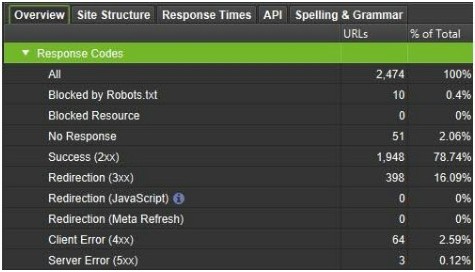
Start with the broken links. A link to a page that returns a 404 should point at the right page, or be removed if the target no longer exists. A redirect chain, where one redirect points to another redirect, should be shortened to a single redirect to the final page.
Then look at the orphan pages. A page with no internal links is hard for Google to find. Link to it from a relevant page, and one good link from a page Google already crawls is often enough.
Then check the links that matter most: the main navigation, the footer, and the highest traffic pages. A broken link in the navigation is worse than ten in old blog posts, because every visitor sees it.
Sixth: fix speed and mobile issues
Speed is sixth because a slow page that ranks still gets traffic, while a fast page that is not indexed gets none. But a page that takes many seconds to load loses visitors before they read anything.
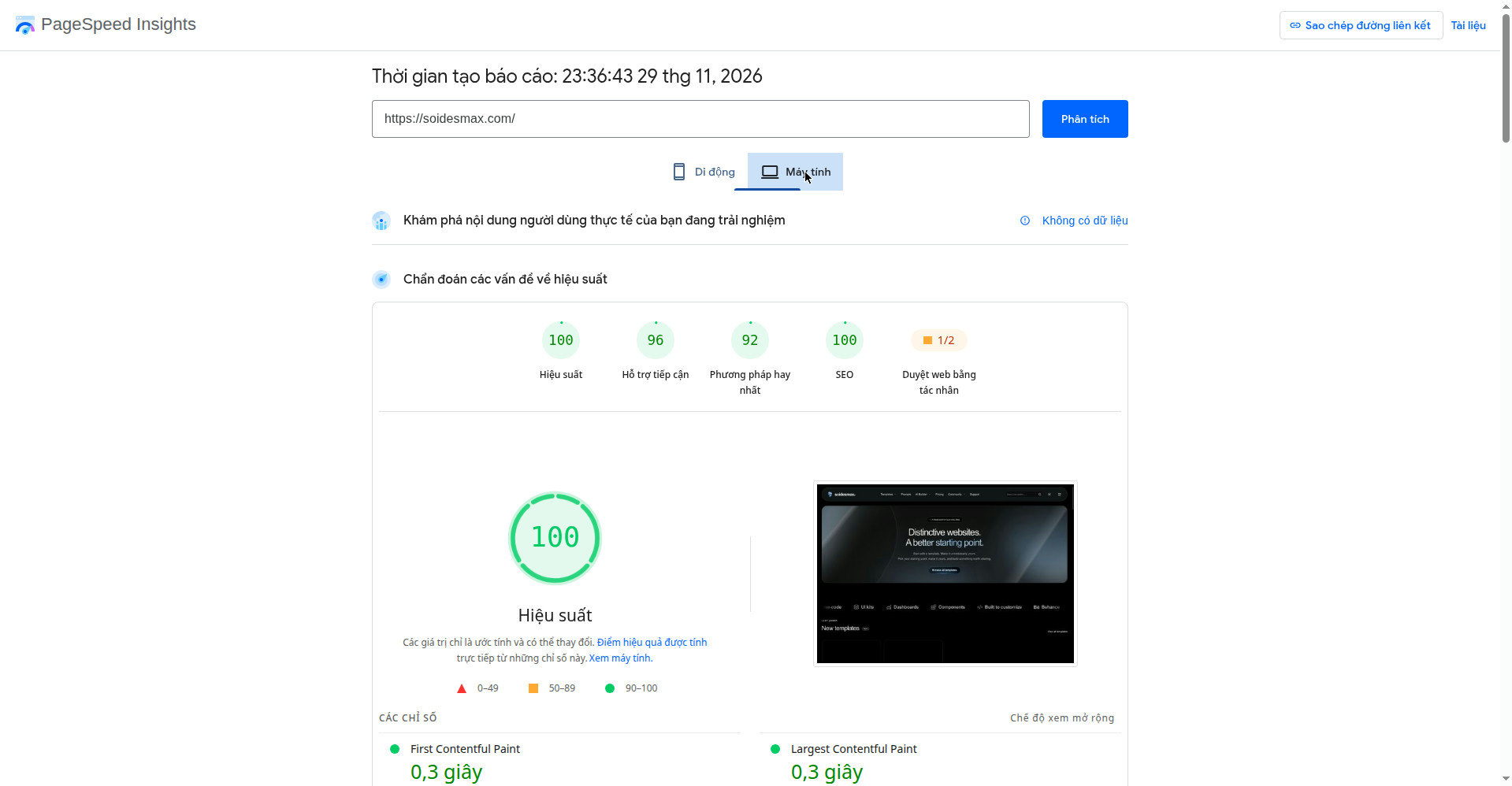
Measure with PageSpeed Insights, which reports both lab data and field data from real Chrome users. The field data is what matters: Largest Contentful Paint, Interaction to Next Paint, and Cumulative Layout Shift, measured from actual visits. The thresholds are public: Largest Contentful Paint under 2.5 seconds, Interaction to Next Paint under 200 milliseconds, and Cumulative Layout Shift under 0.1 are good.
Oversized images and videos are the usual cause of a slow Largest Contentful Paint: resize and compress. A slow Interaction to Next Paint usually comes from heavy JavaScript, and the fix is to defer or remove scripts the page does not need on first load. A bad Cumulative Layout Shift comes from content that moves as the page loads, usually images without dimensions, and the fix is to reserve space for them.
Mobile is part of the same step. Google indexes the mobile version of a page, so check the mobile viewport, tap targets, and text size on the important pages.
How to read any audit report in priority order
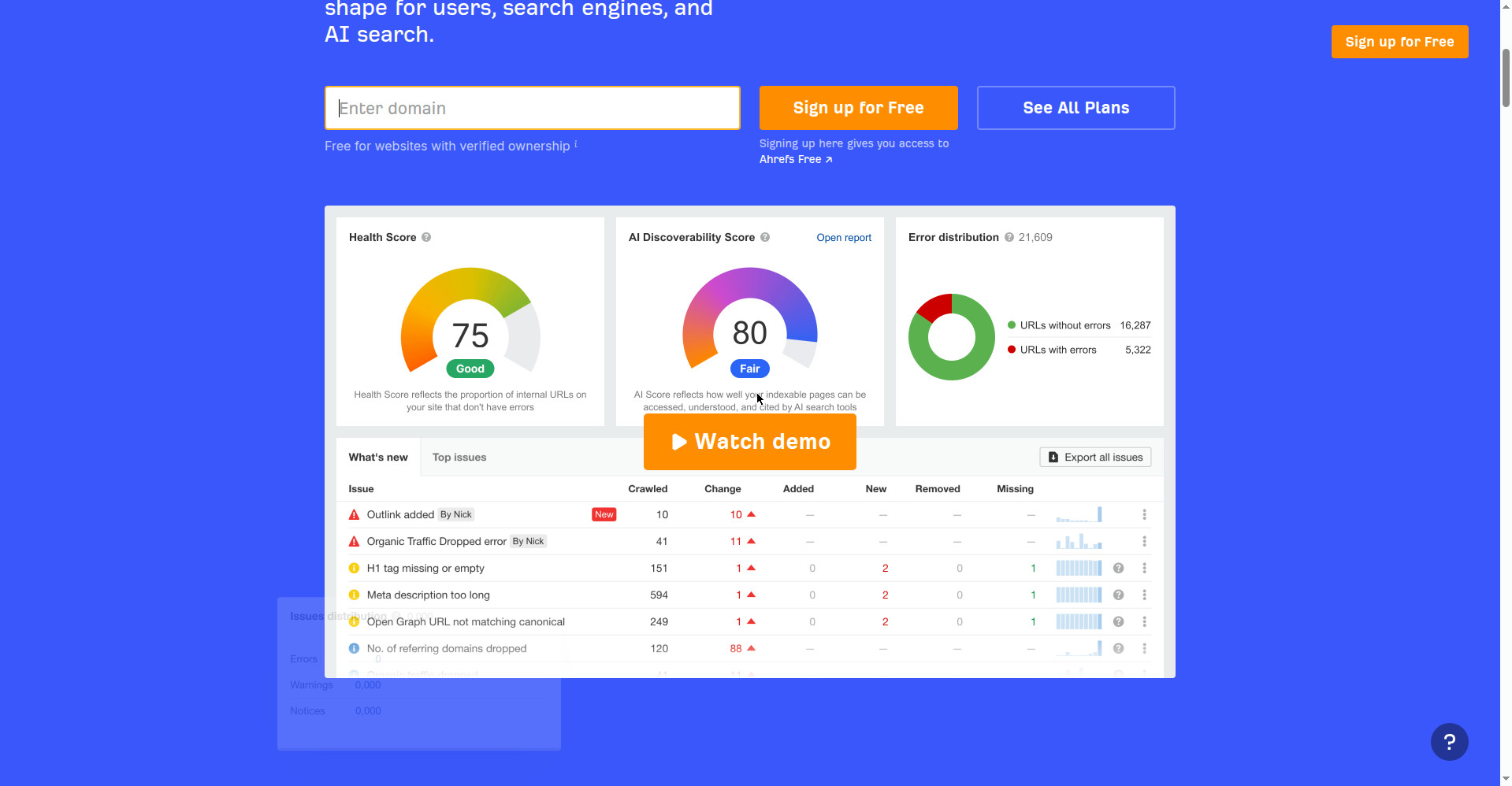
Every audit tool returns the same shape: a long list grouped by severity. Read it in the order of this post, not in the order the tool prints it.
Errors first: server errors, broken pages, redirect loops, and noindex tags on pages that should rank. These are usually few in number, each with a clear fix, so they are the highest return work in the report. Then warnings: missing or duplicate descriptions, thin content, slow pages, missing alt text, and redirect chains. Then notices, which are hygiene items worth a pass once the bigger problems are handled.
Sort by affected pages inside each issue. If one issue touches two hundred pages and another touches two, the first one is usually the template problem, and fixing it once repairs all two hundred.
Ignore the score for a moment. A score of 100 means the tool found nothing it checks, not that the site ranks first. Rankings depend on content quality, links, and competition. Use the score to track whether the site is getting cleaner, and stop fixing when only notices remain.
A fast re-check with Soidesmax SEO Check
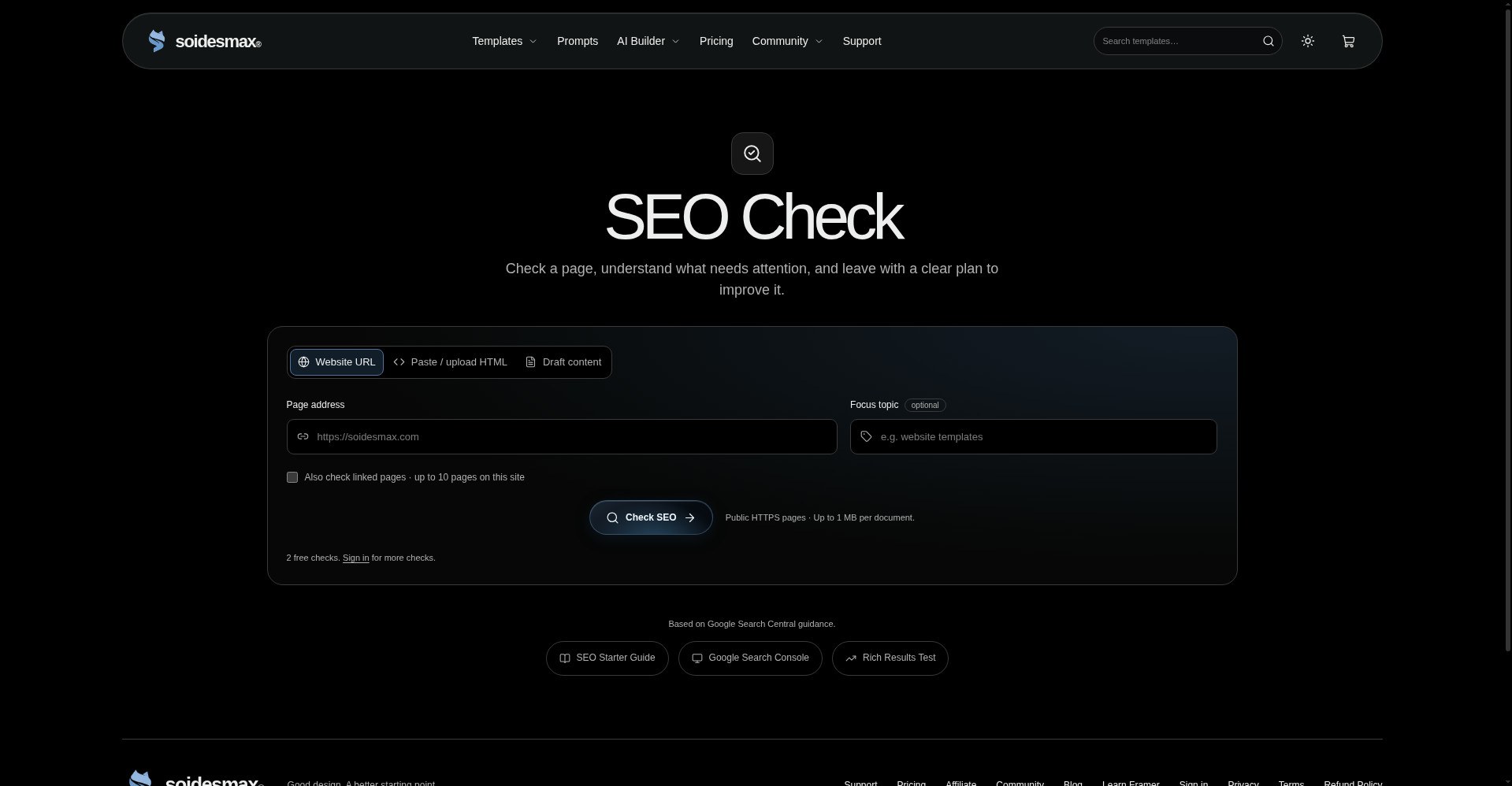
A full crawl takes minutes and an account. After you fix a page, you want a fast answer: did this page actually improve? That is what SEO Check does, the free SEO checker on this site.
It has three modes. Website URL fetches a public page, checks its robots.txt and default sitemap, and can also check up to 10 linked pages on the same site. Paste or upload HTML checks a page file of up to 1 MB without publishing it. Draft content checks a title, meta description, main heading, and body text before the page exists.
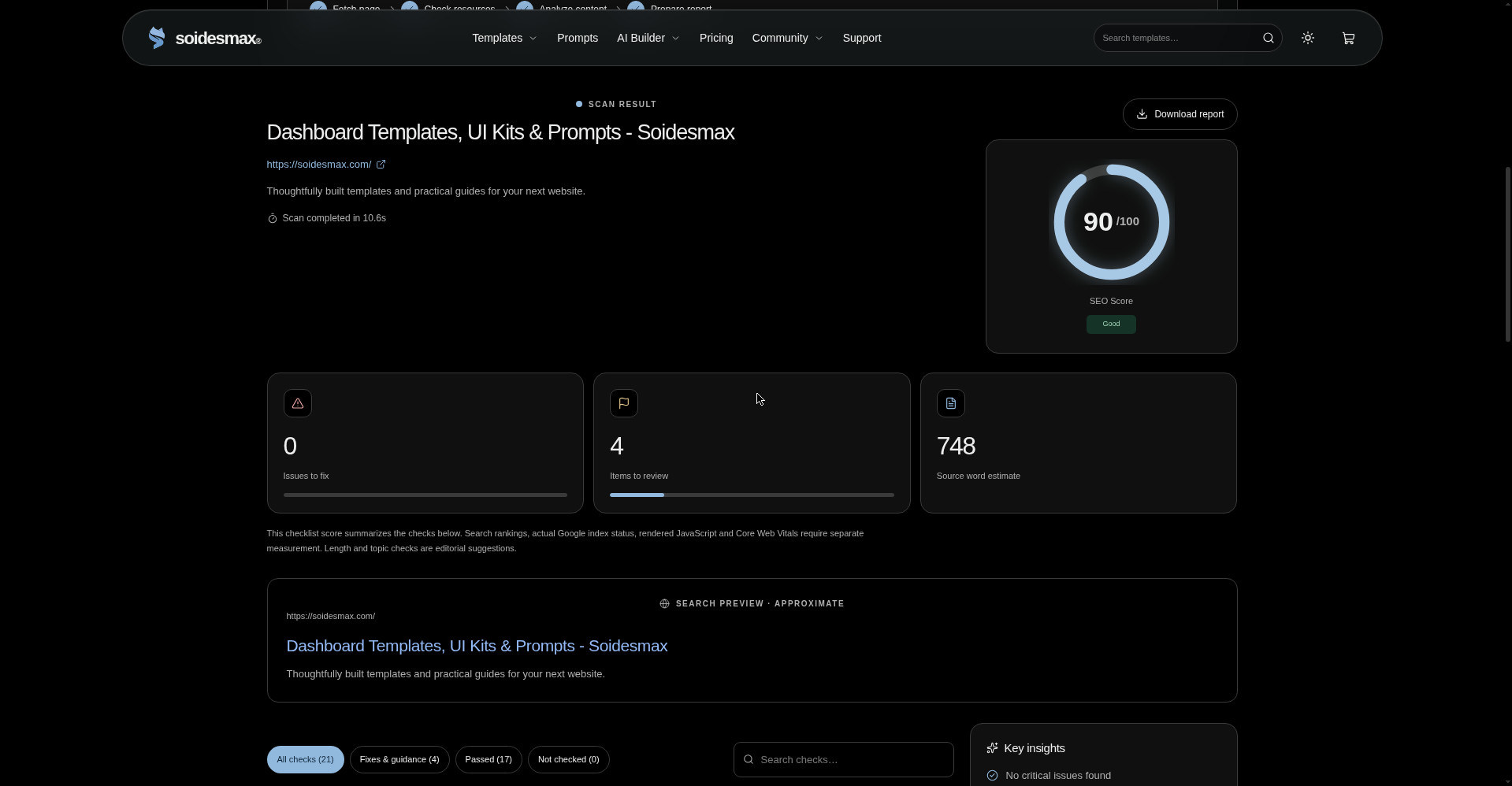
The analysis runs on your device in a web worker, and the report gives a score out of 100 with a verdict: Good at 70 and above, Fair from 50 to 69, and Needs work below 50. Below the score are counts of issues to fix, items to review, and passed checks, plus a search preview of how the title and description would look in Google results.
The checks cover the on-page basics: page title and readability, meta description, canonical URL, main heading and heading order, image alt text and dimensions, crawlable internal links, the default sitemap, document language, mobile viewport, structured data, Open Graph tags, and robots.txt. Each check opens to show what was found and a "How to improve it" section with a copyable example. The full report downloads as JSON.
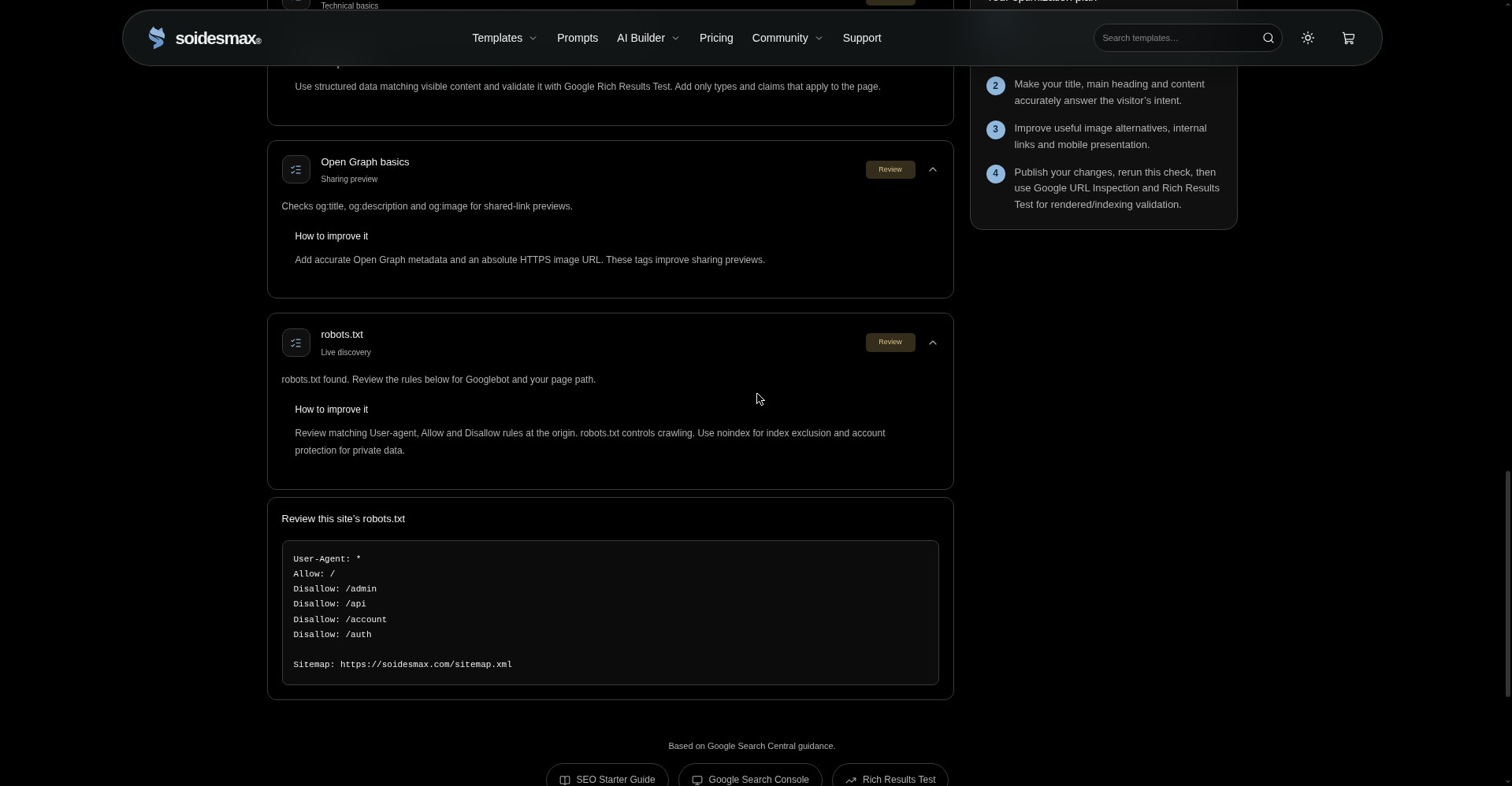
Guests get 2 free checks a day, and signed-in accounts get 20 a day. The tool states its limits on the results page: the checklist score does not measure search rankings, actual Google index status, rendered JavaScript, or Core Web Vitals. Use SEO Check for the fast re-check on one page after a fix, and the crawlers above for the whole site.
Re-run the audit and confirm the fixes
A fix you did not verify is a guess. After working through the list, re-run the audit and compare the new report with the old one. The errors you fixed should be gone, the warnings should be fewer, and the score should be higher. If an issue is still there, the fix did not work the way you thought, and the re-run is how you find out before a month passes.
Confirm the important pages in Search Console with URL Inspection. A page that shows as indexed, with the right canonical and a recent crawl date, is confirmed.
Then go back to publishing. An audit is a to-do list, not a grade, and the site that improves a little every month beats the site that audits once a year and fixes nothing. Keep the rhythm: audit, fix in the order above, re-run, confirm, publish.
If the audit found template problems, fixing the template is usually faster than fixing pages one by one. Browse the templates when you are ready to rebuild on a base that already passes the basic checks, and run SEO Check on the result before you publish.